
 Need help?
Do you have a question about the Brother HL-L3210CDW and is the answer not in the manual?
This document is a Quick Setup Guide for Brother HL-L3210CW, HL-L3230CDN, HL-L3230CDW, and HL-L3270CDW series printers. It provides instructions for initial setup, connecting to a computer or mobile device, and basic maintenance.
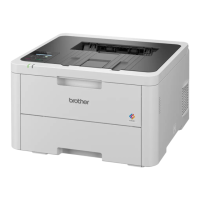
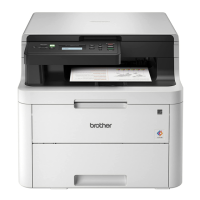
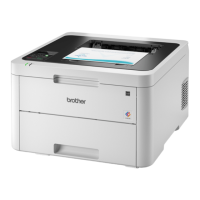
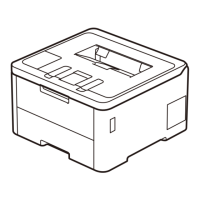
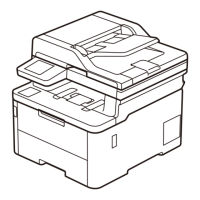
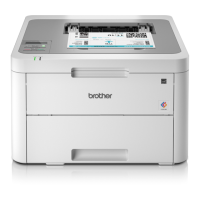
The Brother HL-L3210CW/HL-L3230CDN/HL-L3230CDW/HL-L3270CDW series are color laser printers designed for both home and office use. They support various connection methods, including USB, wired network (for CDN/CDW models), and wireless network, allowing for flexible integration into different environments. The printers are capable of producing high-quality color prints. Some models feature an LCD or touchscreen interface for easy navigation and configuration.
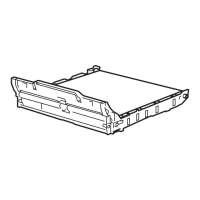
Initial Setup: The setup process begins with unpacking the machine and verifying all components are present, including the Waste Toner Box, Belt Unit, Drum Unit and Toner Cartridge Assemblies (Black, Cyan, Magenta, Yellow), Brother Installation Disc, AC Power Cord, Quick Setup Guide, Product Safety Guide, and Reference Guide (for certain models). Users are instructed to remove all blue packing tape and slide eight yellow drum locks. Orange parts must be removed from each toner cartridge before re-installing the drum unit and toner cartridge assembly by pushing firmly.
Paper Loading: Paper is loaded into the paper tray. The guide indicates to adjust the paper guides to fit the paper size and not to exceed the maximum fill mark.
Power Connection and Language Selection:
After loading paper, the AC power cord is connected to the back of the machine, and the machine is turned on. For LCD models, users navigate to [Initial Setup] > [Local Language] using the arrow keys and OK button to select their preferred language. For touchscreen models, the path is [Settings] > [All Settings] > [Initial Setup] > [Local Language], followed by selecting the language and pressing [OK].
Device Connection: The guide offers two primary connection methods:
Computer (This PC), double-click the CD/DVD-ROM icon, and then start.exe. For Mac, the CUPS driver is recommended for full functionality.Wireless Setup (Alternative Method): If direct connection fails or an alternative is preferred, users can set up the wireless connection manually. This requires finding the SSID (Network Name) and Network Key (Password) on the wireless access point/router.
[Network] > [WLAN] > [Setup Wizard] using arrow keys and OK.[WiFi] > [Setup Wizard] > [Yes].
Users then select their SSID and enter the Network Key. A "Connected" message indicates success. If unsuccessful, restarting the Brother machine and wireless access point/router and repeating the steps is advised. Additional wireless support is available at support.brother.com/wireless-support.Printing from Mobile Devices: The guide highlights several mobile printing options:
Network User Best Practices:
For network users, it is recommended to configure a unique admin password for any network device. Changing the default Web Based Management password, initpass, is crucial for secure use of network tools/utilities.
Firmware Updates: Brother regularly updates firmware to add features and apply bug fixes. Users are encouraged to visit support.brother.com/up7 to check for the latest firmware, ensuring their device operates with optimal performance and security.
Troubleshooting: The guide includes a "Can't Connect?" section for troubleshooting connection issues.
Component Replacement: The initial setup section implicitly covers the handling of key components like the Waste Toner Box, Belt Unit, and Drum Unit and Toner Cartridge Assemblies, which are consumables that will need to be replaced over the printer's lifespan. While not explicitly detailed as a maintenance step in this guide, the presence of these components indicates their user-replaceable nature.
Documentation Access: The guide emphasizes the availability of comprehensive documentation:
 General
| Printer Type | Color Laser Printer |
|---|---|
| Print Resolution | 2400 x 600 dpi |
| Mobile Printing | Brother iPrint&Scan, AirPrint, Google Cloud Print, Mopria |
| Monthly Duty Cycle | Up to 30, 000 pages |
| Operating System Compatibility | Windows, macOS, Linux |
| Connectivity | USB, Ethernet, Wi-Fi |
| Paper Capacity | 250-sheet input tray |
| Print Speed | Up to 25 ppm (Black/Color) |


 To Next Page