Troubleshooting
122
6
c Make sure that the paper is below the maximum paper mark (bbb) in the paper tray. While pressing the
green paper-guide release lever, slide the paper guides to fit the paper size. Make sure that the guides
are firmly in the slots.
d Put the paper tray firmly back in the machine.
Do not pull out the upper paper tray while paper is feeding from a lower paper tray because this will cause
a paper jam.
If paper dust has accumulated on the surface of the paper pick-up rollers, a paper jam may occur in the
paper tray. Clean the paper pick-up rollers. (See Cleaning the paper pick-up rollers uu page 104.)
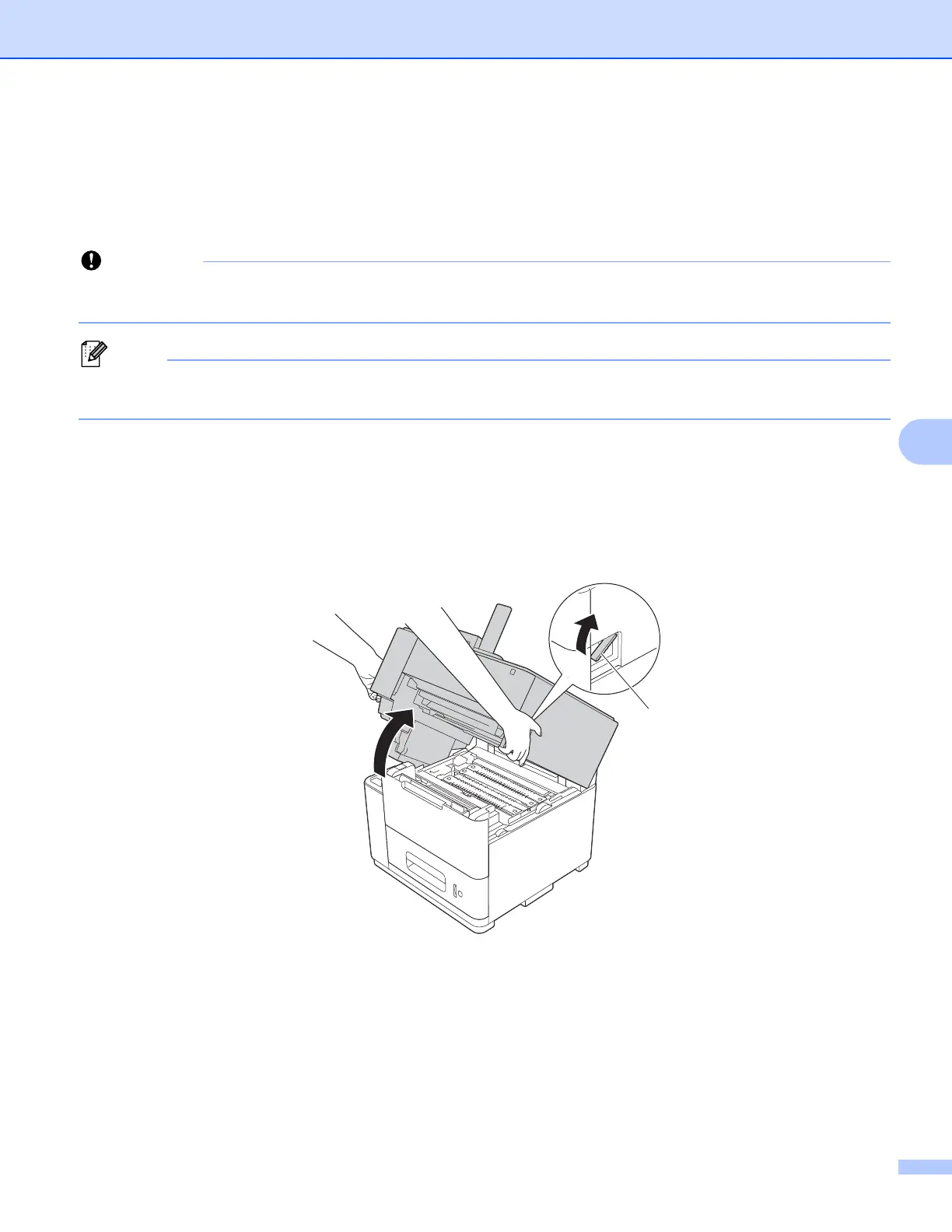
Jam B Inside (paper jam inside the machine) 6
If the LCD shows Jam B Inside, follow these steps:
a Remove any printed pages from the output paper tray.
b Pull the top cover release lever (1) as shown and open the top cover.
1



 To Next Page
 Loading...












