8. ELECTRIC MECHANISM
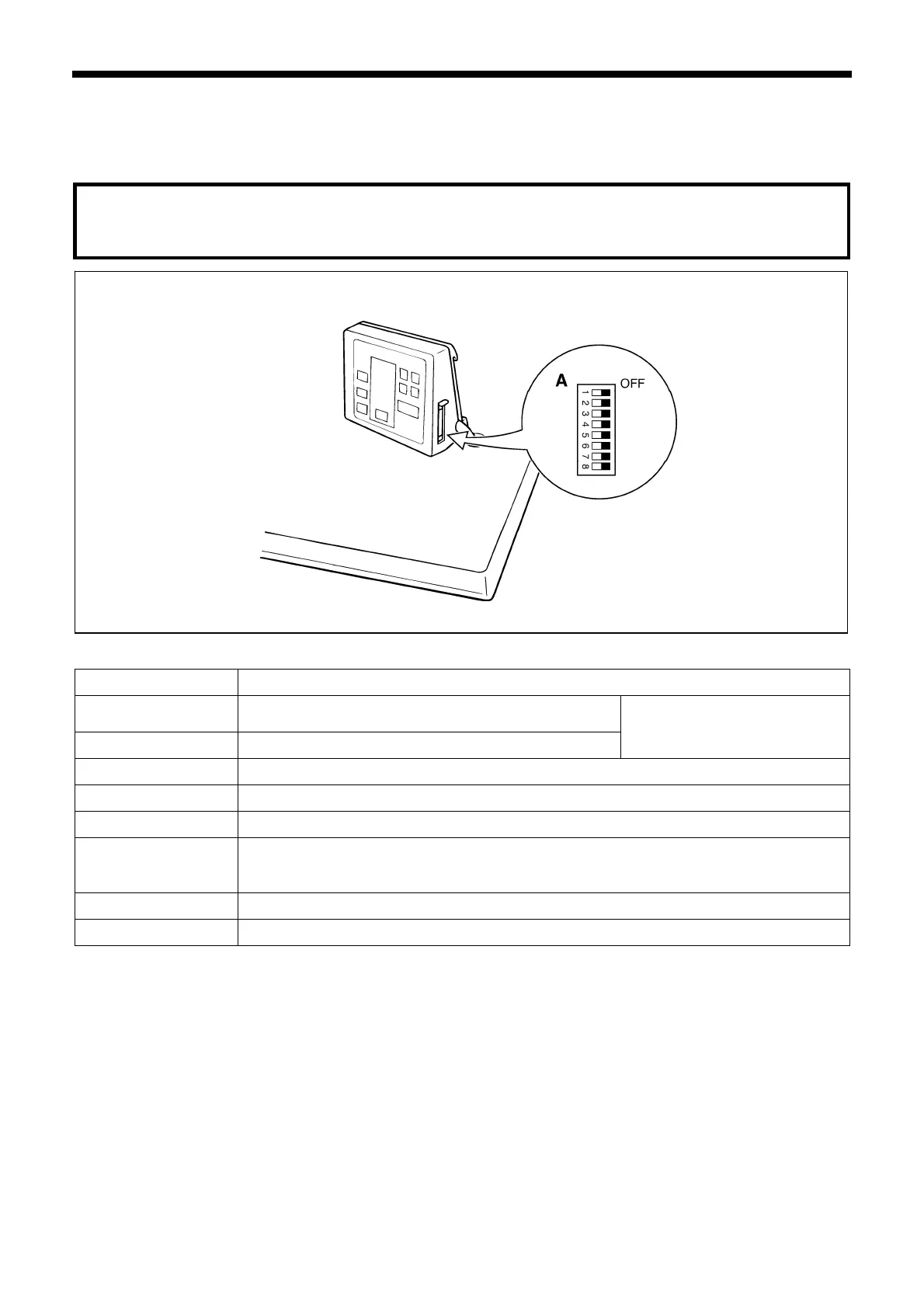
8-5. Explanation of the DIP switches
8-5-1. Operation panel DIP switches (KE-430*, 431*, 432*, 433B, 434*, 435*, 484C, BE-438*)
Note:
Always turn off the power before setting the DIP switches.
3615Q
ll DIP switches are set to OFF at the
time of shipment.
D
IP switch A
Switch Motion when set to ON
DIPA-1
Presser does not automatically lift after sewing is
completed.
DIPA-2 Pedal mode is switched.
See “8-8. Setting the work
clamp mode”
DIPA-3 User program mode is available.
DIPA-4 -
DIPA-5 The work clamp does not rise automatically when a split is found.
DIPA-6
Displays the enlargement/reduction ratio in millimeter units instead of as a
percentage. (After changing this setting, be sure to carry out the auto-clear
operation by referring to page 164.)
DIPA-7 Enlargement of pattern size is not available.
DIPA-8 Program number is fixed.
KE-430B, 430C series
147



 To Next Page
 Loading...



