3. INSTALLATION
5
KE-436C
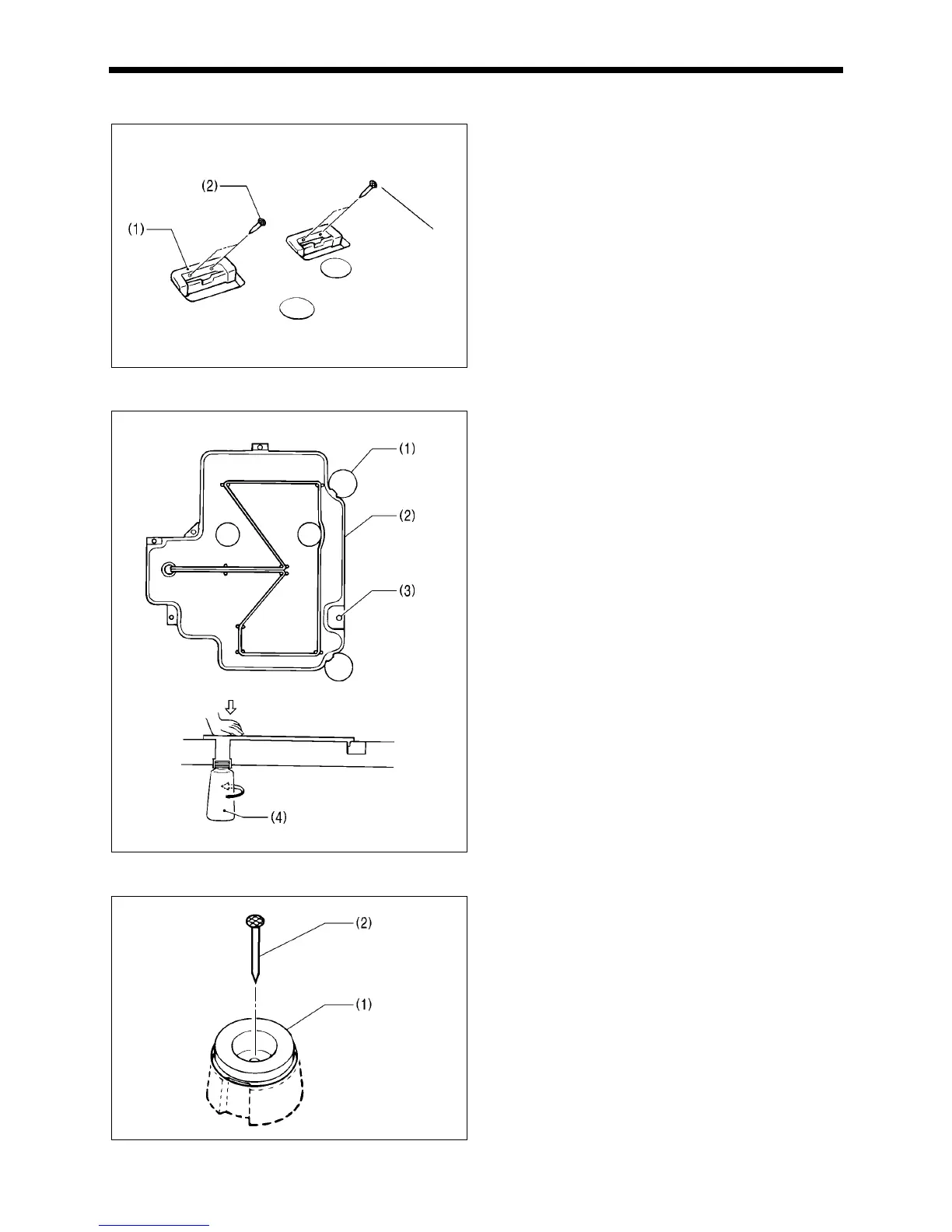
3-3. Installing the rubber cushions
Install the rubber cushions (1) with the nails (2).
* Install so that the head of the nail dose not protrude from
the rubber surface.
3-4. Installing the oil pan
1. Insert the tabs of the oil pan (2) into the holes for the
cushions (1), and then secure it in place with the five nails
(3) so that the oil pan (2) is not at an angle.
2. While pushing the oil pan (2) down from above, screw in
the oil container (4).
3-5. Installing the cushions
Place the two cushions (1) into the holes in the work table so
that the notches are aligned with the tabs in the oil pan, and
secure them in place with the nails (2).
* Install so that the head of the nail dose not protrude from
the rubber surface.
2489Q
2490Q
2491Q
2492Q



 To Next Page
 Loading...




