EasyManua.ls Logo

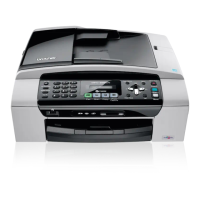
Brother MFC MFC-295CN - User Manual

Brother MFC MFC-295CN
176 pages
Print Icon
To Next Page IconTo Next Page
Loading...
USER’S GUIDE
MFC-253CW
MFC-255CW
MFC-257CW
MFC-295CN
Version 0
ARL/ASA/NZ

Table of Contents

Questions and Answers

Brother MFC MFC-295CN Specifications

General IconGeneral
Print TechnologyInkjet
Automatic Document FeederYes
DisplayLCD
Duplex PrintingManual
Media Card SupportYes
Scanner TypeFlatbed
Optical Resolution1200 x 2400 dpi
Fax TypeColor
Max Fax Transmission Speed33.6 kbps
Standard Media Capacity100 sheets
Output Trays Capacity50 sheets
Paper Capacity100 sheets
Weight15.4 lbs
Max Print Resolution6000 x 1200 dpi
Max Document Size8.5 x 14 inches
ConnectivityUSB
FunctionsPrint, Scan, Copy, Fax
Monthly Duty Cycle (max)2500 pages
Media TypeEnvelopes, plain paper, photo paper
Ink Cartridge Configuration4 individual cartridges

Summary

Loading paper and documents

Loading Paper and Other Print Media

Step-by-step guide on how to load paper and other print media.

Document Loading Procedures

Guides for loading documents into the ADF and using the scanner glass.

Security features

TX Lock Overview

Description of TX Lock feature and its purpose.

TX Lock Password Management

Step-by-step guide to setting up and modifying the TX Lock password.

Turning TX Lock On;Off

Instructions on how to enable or disable the TX Lock feature.

Sending a Fax

Faxing Methods and Modes

Covers entering fax mode, faxing from ADF, scanner glass, and letter size.

Receiving a Fax

Receive Mode Configuration

Guide to choosing and setting up various receive modes like Fax Only, Fax/Tel, Manual.

Receive Mode Operations

Details on Fax Only, Fax/Tel, and Manual receive modes.

Telephone and External devices

Connecting and Operating External Devices

Connecting TADs, recording OGM, PABX connections, and extension telephone operation.

Dialling and storing numbers

Dialling Procedures

Covers manual dialling, speed dialling, searching, and fax redial.

Making copies

Basic Copying Operations

Covers entering copy mode, making single/multiple copies, and stopping.

Printing photos from memory card or USB drive

Printing and Scanning Directly

Guides for printing photos and scanning documents without a PC.

Photo Printing Process

Step-by-step instructions for printing photos and index sheets.

Printing photos from a camera (MFC-295 CN only)

PictBridge Camera Printing

Guides on PictBridge connection, requirements, and camera setup.

Safety and Legal

Machine Placement and Safe Operation

Guidelines for selecting a location and general safe operating practices.

Electrical Safety and Precautions

Covers electrical safety, handling plugs, power cords, and cleaning.

Comprehensive Safety Instructions

Safety directives covering power, servicing, and environmental factors.

Troubleshooting and Routine Maintenance

Printing Problem Resolution

Addresses issues with print output, paper feed, and fax reception.

Error Messages and Maintenance

Explains error messages and guides on routine cleaning and print head care.

Paper Jam Clearing

Step-by-step instructions for clearing document and paper jams from the ADF and printer.

Menu and Features

Specifications

Related product manuals