9
English
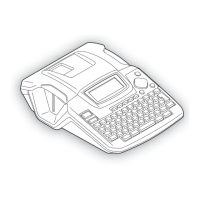
Key Names and Functions
1. (Power):
Turns the P-touch on and off.
2. ( ):
Moves the cursor in the direction of the
arrow when entering or editing
characters, entering symbols or
accented characters, and when setting
label attributes in the function menus.
3. :
Selects the option displayed when
setting label attributes in the function
menus, or when entering symbols or
accented characters.
4. (Escape):
Cancels the current command and
returns the display to the data entry
screen or the previous step.
5. (Print):
• Prints the current label design onto the
tape.
• Opens the Print Options menu when
used in combination with the key.
6. (Preview):
• Displays a preview of the label.
• Feeds 23 mm of blank tape and then
automatically cuts the tape when used
in combination with the key.
78
5
11
12 19 1813 13
6
91016
1
2
4
3
14
15
17
20


 To Next Page
 Loading...











