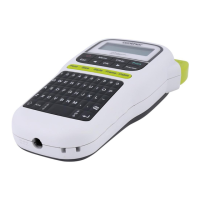
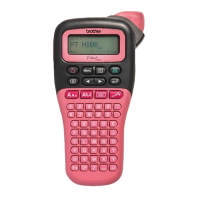
NOTE
• The LCD displays one row of 15 characters; however, the text you enter can be up to 80 characters in
length.
• Label length displayed on the LCD may differ slightly from the actual printed label length.
LCD
1. Size
2. Font
3. Cursor
4. Shift
5. Caps
6. Underline/Frame
7. Style
8. Label Length
If a specific label length has
been selected, also appears.
1 Turn your machine on.
Supply power using six AAA batteries or the optional AC adapter (AD-24ES), and then press to
turn the power on.
2 Set the language.
The default setting is [English].
3 Set the unit of measurement.
The default setting is [mm].
NOTE
• The machine automatically turns off if no keys are pressed within five minutes.
• To cancel any operation, press .
• After pressing , the machine displays "Accepted" to confirm your settings.
Initial Settings
/ [Language] / [English/Español/Français/Hrvatski/Italiano/
Magyar/Melayu/Nederlands/Norsk/Polski/Português/Portug. (BR)/Română/Slovenski/Slovenský/
Suomi/Svenska/Türkçe/Čeština/Dansk/Deutsch] .
/ [Unit] / [inch/mm] .



 To Next Page
 Loading...