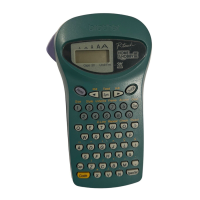
Entering Text and Accented Characters
X Switching Upper-Case/Lower-Case
Upper-case ( ON) Lower-case ( OFF)
X Entering Numbers
Num Lock ON Num Lock OFF
X Making a Two Line Label
1. Enter the text for the first line and press .
2. Enter the text for the second line and press .
Do not press after the second line; otherwise the “Line
Limit!” error message will be displayed.
Display Label image
X Entering Accented Characters
- /
• To cancel an operation, press .
• The order of accented characters differs by the selected
LCD language.
X Deleting Text ( + )
By pressing , characters are deleted one by one.
NOTE
To delete all text and settings:
+ [Txt&Format]
To delete text only:
+ [Text Only]
Accented Characters Accented Characters
Aa
Cc
Dd
Ee
Gg
Ii
Kk
Ll
Nn
Oo
Rr
Ss
Tt
Uu
Yy
Zz



 To Next Page
 Loading...