19
CURSOR KEYS
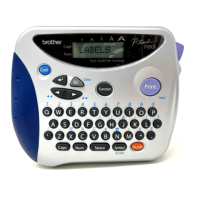
The machine’s LCD display shows two rows of 11 characters; however, the text that
you create can be up to 99 characters long. You can review and edit your text by using
the cursor keys (
, , , ) to move the cursor so that different parts are
shown in the display.
LEFT CURSOR KEY
To move the cursor one character to the left:
● Press once.
To move the cursor several characters to the left:
● Hold down until the cursor moves to the desired position.
To move the cursor to the beginning of the current line:
● Hold down and press .
RIGHT CURSOR KEY
To move the cursor one character to the right:
● Press once.
To move the cursor several characters to the right:
● Hold down until the cursor moves to the desired position.
To move the cursor to the end of the current line:
● Hold down and press .
Home
End
Code
Code



 To Next Page
 Loading...