INTRODUCTION
18
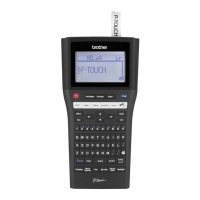
How to use the P-touch labeler
Create a label with the P-touch labeler
GETTING STARTED
CREATING A LABEL
LABEL PRINTING
How to use the P-touch labeler
1
• Prepare the P-touch labeler.
2
In addition to entering text, the P-touch
labeler has a large range of formatting
options.
Create labels like these :
• Entering and Editing text.
• Entering Symbols and Icons.
• Entering Accented Characters.
• Using Templates and Block
Layouts.
Editing a Label in the User's Guide
3
Before printing, you can check the layout
of your label using the preview function.
Create labels like these :
• Printing a Label.
• Setting Tape Cutting Options.
• Printing from the Label collection.
Label Printing in the User's Guide
• Remove the labels soon after they are cut so that they do not remain in the tape exit
slot.
• Do not position the P-touch labeler vertically when using it. Otherwise, the cut labels
could fall into the P-touch labeler and cause a malfunction.


 To Next Page
 Loading...










