Changing the Label Printer Settings
21
4
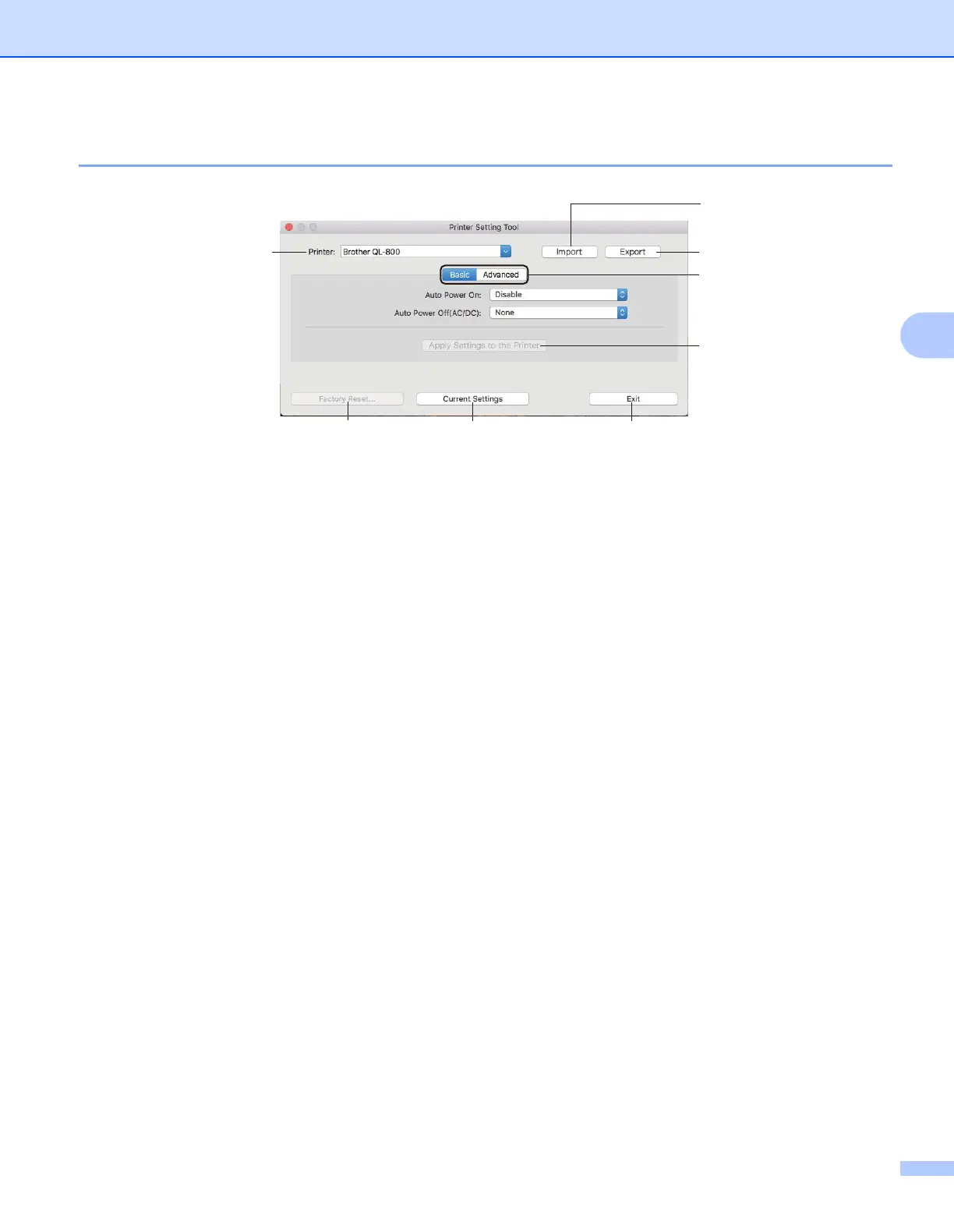
Settings Dialog Box 4
1Printer
Lists the connected printers.
2 Import
Imports settings from a file.
3 Export
Saves the current settings in a file.
4 Settings Tabs
Contain settings that may be specified or changed.
5 Apply Settings to the Printer
Applies the settings to the printer.
6 Factory Reset
Resets printer settings to factory settings.
7 Current Settings
Retrieves the settings from the currently connected printer and displays them in the dialog box.
8Exit
Exits the Printer Setting Tool.



 To Next Page
 Loading...










