How to Use P-touch Editor
33
6
2-colour Printing Configuration 6
The printer is capable of 2-colour printing.
Configuration with P-touch Editor
Express mode 6
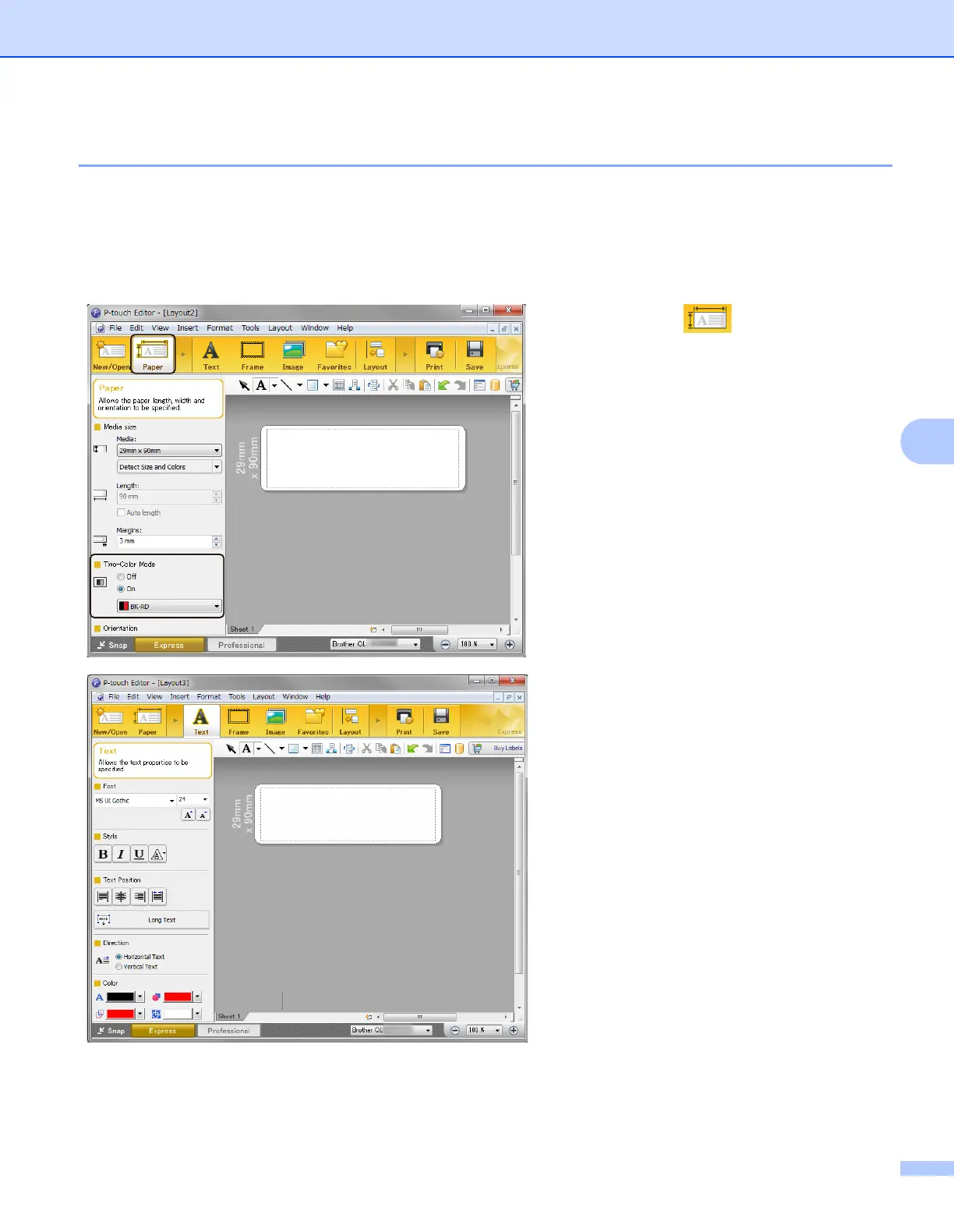
1 Select [Paper] then the
Two-colour Mode appears.
2 Select [On] for [Two-colour
Mode].
3 Select [Text] to edit the colour of
the text.
4 Select [Frame] to edit the colour
of the frame.



 To Next Page
 Loading...










