Troubleshooting
70
12
Version Information 12
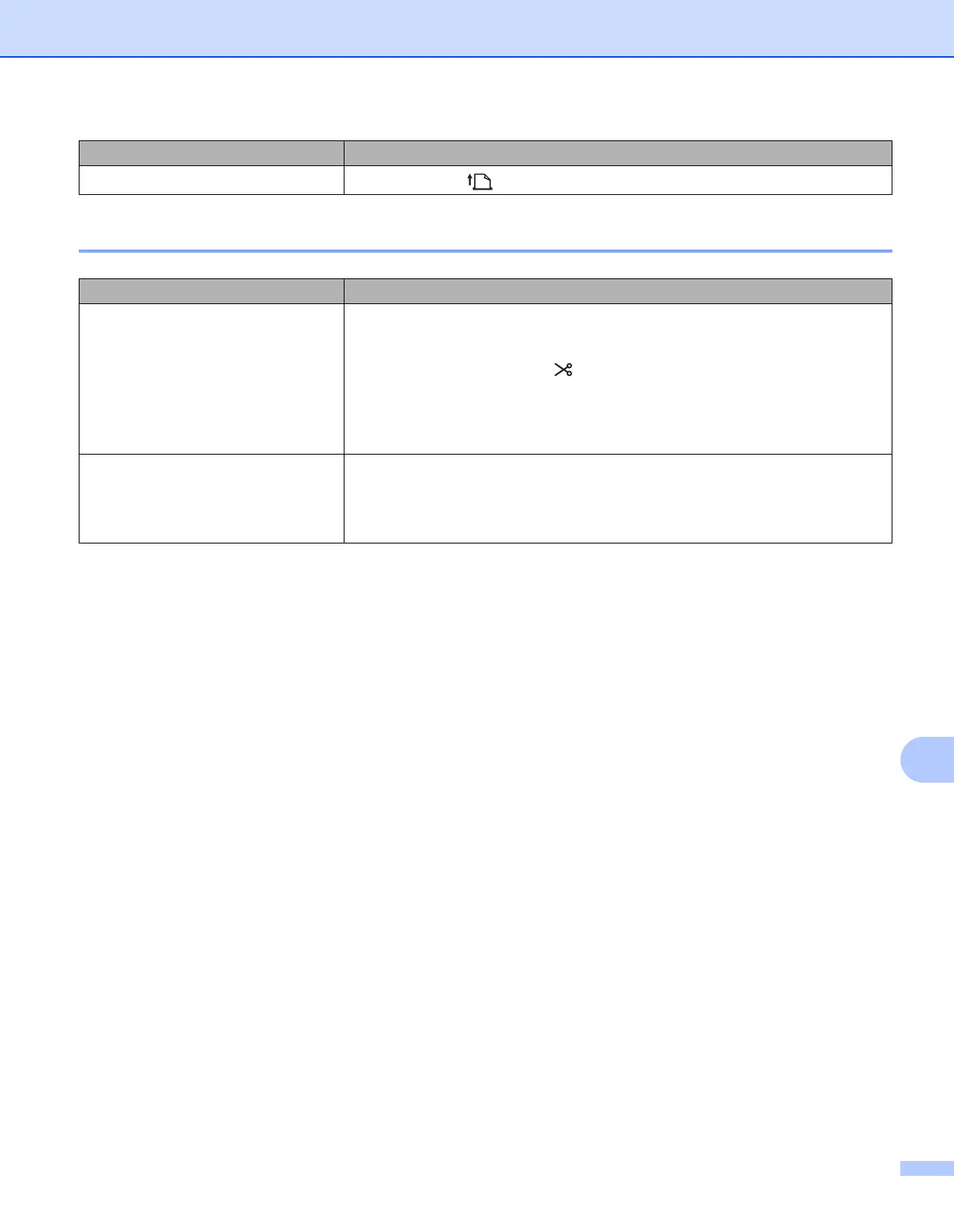
I want to feed the label.
Press the Feed ( ) Button for one second.
Problem Solution
I do not know the version number of
the firmware for the printer.
You can use the following procedure.
1 Turn your printer on.
2 Press and hold the Cutter ( ) Button for several seconds to print the report.
When you print this report, recommend a DK Roll with labels 29 mm or wider
and a print length of 64 mm.
DK Rolls for 2-colour printing cannot be used.
I want to confirm whether I am using
the latest version of the software.
Use the P-touch Update Software to confirm whether you have the latest
version.
For more information about the P-touch Update Software, see How to Update
P-touch Software on page 54.
Problem Solution



 To Next Page
 Loading...










