EasyManua.ls Logo

BRUEL & KJAER 1623 - Page 27

BRUEL & KJAER 1623
36 pages
Print Icon
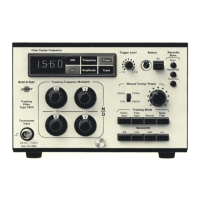
To Next Page IconTo Next Page
To Previous Page IconTo Previous Page
Loading...
4.
Set
the
PAPER SPEED knob on
the
2306
to EXT.
5. Press
the
TRACKING MODE
Manual
pushbutton and
manually
tune
the
filter
to
con-
venient
starting
frequency, i.e.
2Hz,
10Hz
etc.
using
the
MANUAL
TUNING/
PRESET knob and
the
frequency display. ·
6. Press
the
Reset
Forward
pushbutton on
the
1
623
and
wait
up
to
10
s
for
the
digi-
tal
counter
in
the
1623
to
achieve
the
reset
condition.
The
chart
paper on
the
2306
will
move
forward
to an arbitrary position.
7. Press
the
Start
pushbutton
on
the
1
623
which
indexes
the
counter
in
the
1
623
for-
ward
to
a
condition
in agreement
with
the
frequency
selected by
the
MANUAL
TUN-
ING/PRESET knob. The position of
the
recording
chart
on
the
2306
can
now
be ad-
justed
with
the
paper
drive
thumbwheel
(PAPER DRIVE
pushbutton
"Off")
so
that
the
· pen lies over
the
frequency indicated on
the
1
623
digital
display.
8.
With
the
PAPER DRIVE pushbutton on
the
2306
"On"
the
MANUAL
TUNING-
/PRESET knob on
the
1623
can be
turned
in
the
clockwise
direction
to
check
that
the
chart
movement
is synchronised.
If
the
tuned
frequency
is reduced
the
paper
feed
will
stop and
will
recommence
when
the
previously
reached
frequency
is ex-
ceeded. Chart
synchronisation
is
not
lost.
9. Press the
Reset
Forward
pushbutton
to
move
the
chart
paper
forward
to
about
4
mm
before
the
2
Hz
line
on
the next chart. Press
the
Start
pushbutton
to
move
the
chart
paper
forward
to
the
frequency indicated
on
the
frequency
display.
2306
External
Power
/ Remote
Control
2306
Remote
Control
7
Pin
DIN
JP
0703
8 Pin
DIN
JP
0802
Valid
for
use
with
2306s
with
serial
Nos.
lower
than 718058
Valid
for
use
with
2306s
with
serial No. 718058 and
higher
and
with
2309s
8 Pin
DIN
JP
0802
1623
Recorder
Sync.
1623
Recorder
Sync.
770309
! 1
Fig.4.5.
Connections
for
synchronisation cable
between
1623
and
the Portable
Level
Recorders Types
2306
and
2309.
Appli-
cable
for
both
forward
and
backward
and
forward-only
paper
movement. Soldering side
of
plugs
shown
For
2306s
modified
to
run
in
both
the
backward
and
forward
directions
and
for
2309s
The
synchronisation
procedure
is
the same as for
unmodified
2306's
except
that
the
rear panel RECORDER SYNC. slide
switch
can be set
to
Fwd.
&
Rev.
so
that
the
chart
paper also moves backwards
when
turning
the
MANUAL
TUNING/PRESET knob back-
wards.
21

Related product manuals