Chapter 7 — Mechanical Parts
Dismantling Procedure
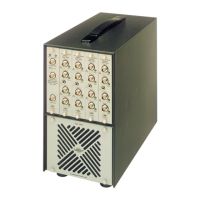
Acquisition Front-end Type 2825
Service Manual
Brüel & Kjær
7
−
2
7.1 Dismantling Procedure
7.1.1 Removing the Power Supply
1. Before opening Type 2825, remove the mains cable
2. Unscrew the 12 screws holding the back panel
3. Unscrew the 9 screws holding the power-supply in place
4. Remove all four cables from the lower part of the backplane (AQ1636, AQ 1682,
AQ1685, AQ1686 – see Fig.7.1)
5. Gently slide out the power-supply.
Note:
Pay attention to the fan-cable as you remove the power-supply
Fig.7.1 Back-view of Type 2825 and side-view of ZG0391
970181e
AQ 1636
AQ 1685
AQ 1686
AQ 1682
Fan cable
AQ 1567
AQ 1684 to
back panel
AQ 1685 AQ 1636 AQ 1686


 To Next Page
 Loading...