619AHB: Owner’s Manual
Manufacturer reserves the right to change, at any time, specifications and designs without notice and without obligations.
10
Manual Operation (without remote control)
The manual button is intended for testing purposes and emergency
operation only. Please do not use this function unless the remote control is
lost and it is absolutely necessary. To restore regular operation, use the
remote control to activate the unit. The unit must be turned off before
manual operation.
Use the following steps to operate the unit manually:
1. Locate the MANUAL CONTROL button on the right-hand side panel
of the unit.
2. Press MANUAL CONTROL one time to activate FORCED AUTO
mode.
3. Press MANUAL CONTROL again to activate the FORCED
COOLING mode.
4. Press MANUAL CONTROL a third time to turn the unit off.
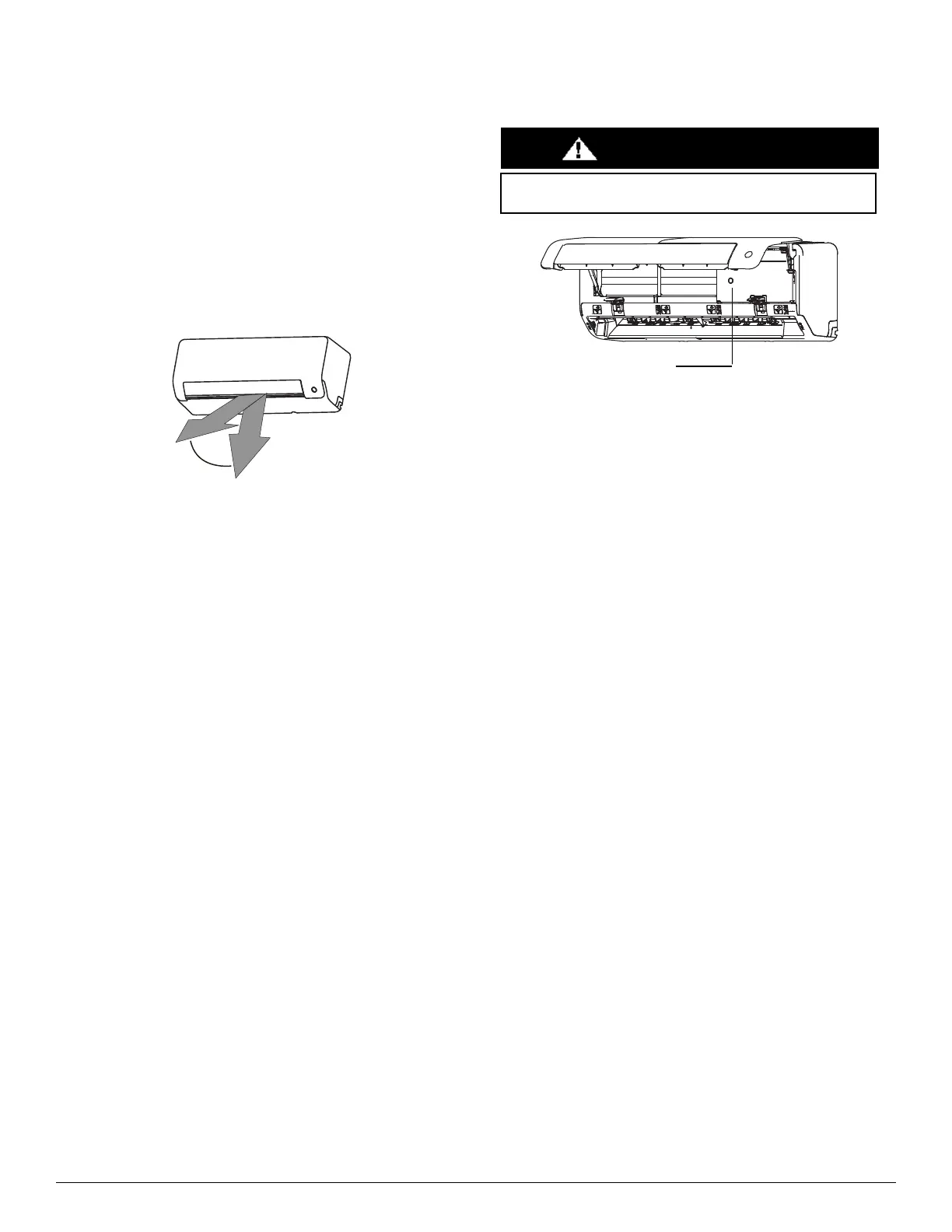
Fig. 10 — Range
NOTE: DO NOT move louver by hand. Doing so takes the louver out
of sync. Should this occur, turn off the unit and unplug it for a few
seconds, then restart the unit. Doing so resets the louver.
Fig. 11 — Manual Control Button
DO NOT
put your fingers in or near the blower and suction unit side of the
unit. The high-speed fan inside the unit may cause injury.
CAUTION




 To Next Page