
 Need help?
Do you have a question about the Brydge Stone Pro and is the answer not in the manual?
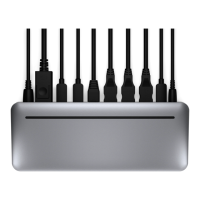
Supports sound and microphone input/output.
Provides data transfer and 15W fast charging.
Offers data transfer and 4.5W charging for two ports.
Provides data transfer and 12W fast charging.
Supports Gigabit network connectivity.
Enables data, video output, and 15W power delivery.
Connects to computer for data, video, and 87W power delivery.
Outputs video signal.
Connects to a 180W wall charger.
Supports SDXC UHS-II memory cards.
Details guarantees for goods under Australian Consumer Law.
Statement regarding Federal Communications Commission rules.

 To Next Page
 General