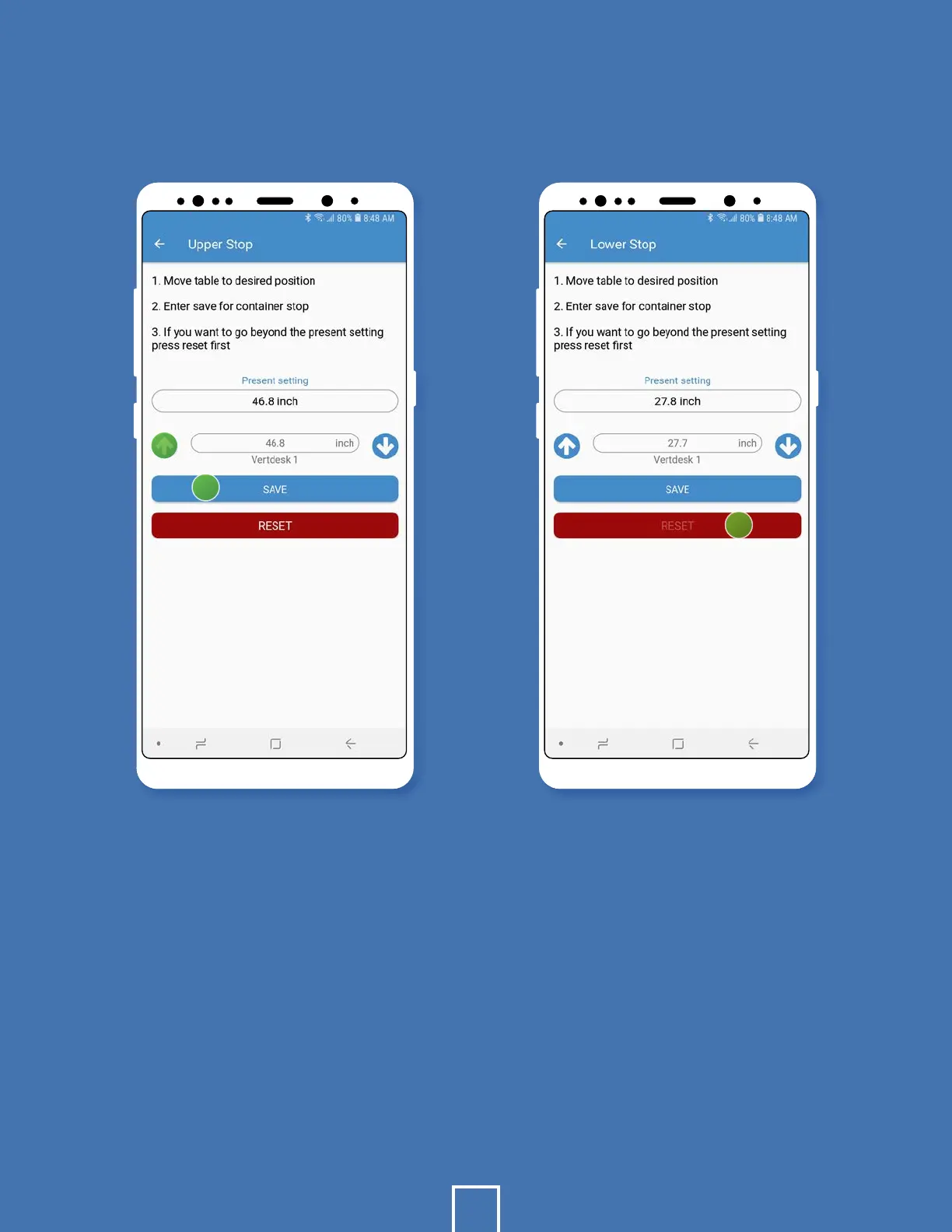
CONTAINER STOP
To change your highest height,
select Upper Stop.
Use the arrows to move the desk
to your desired height.
Hit Save.
Repeat the process for
Lower Stop.
1.
2.
3.
4.
If at any time you want to
remove these settings, select
the upper or lower stop button.
Press Reset.
*Note: Do not hit save. This is
only used to save new heights.
Caution: If the controller loses power
it requires a reset procedure. The
workstation must be lowered beyond
the lower container stop. Clear all
objects under workstation before
starting the reset procedure!
5.
6.
14
2
3
6


 To Next Page