INITIAL SETUP
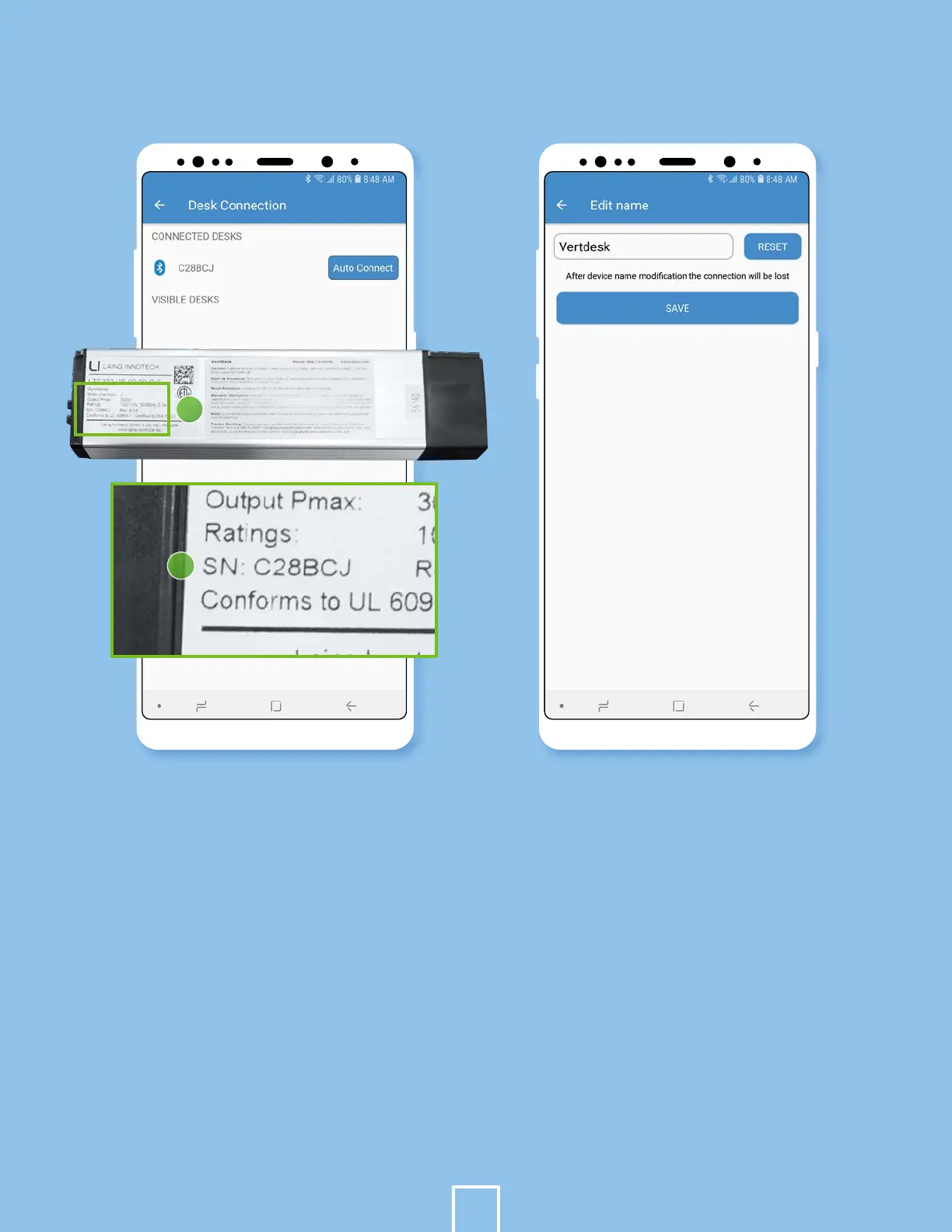
Connect your desk. Select the
ellipses in the upper right corner
to go to the settings. Select Desk
Connection.
If you are setting up more than one
desk, match the number from the
control box to the number under
the Visible Desks.
The number should be the serial
number on the control box.
Example - SN: C28BCJ
8.
9.
10.
Turn on Autoconnect. Continue.
Rename you desk by going into the
menu. Click Desk Settings, and then
Table Name.
Here you can personalize the name
of your desk.
Hit Save.
11.
12.
13.
14.
5
10
9
1


 To Next Page