1-18 In Brief
Sunroof
On vehicles with a sunroof, the
switch is located on the overhead
console.
The sunroof only operates when
the ignition is in ON/RUN or
ACC/ACCESSORY or in Retained
Accessory Power (RAP). See
Retained Accessory Power (RAP)
on page 9‑22 for more information.
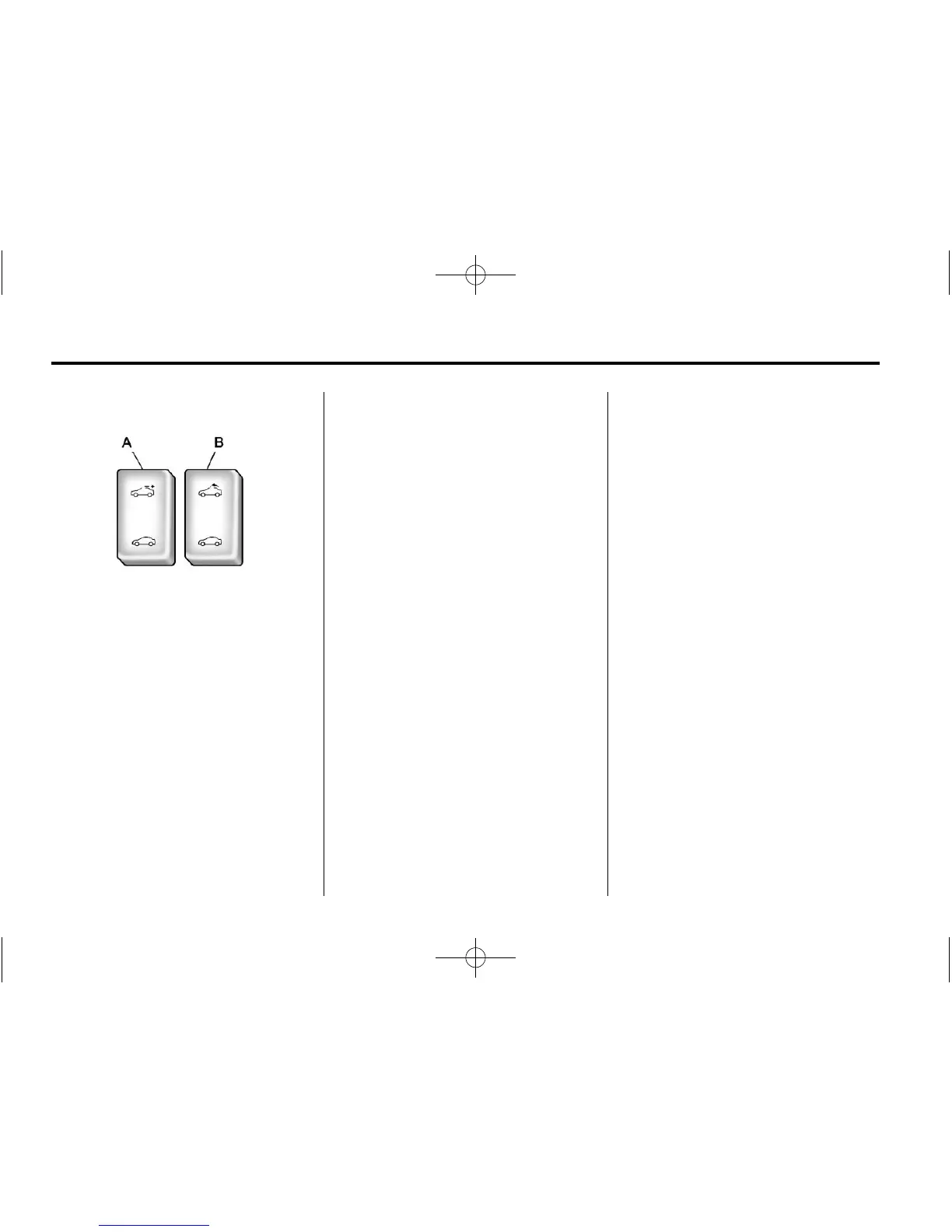
To open or close the sunroof,
press the open or close sunroof
switch (A) to the first detent position.
The safety function will stay enabled
as long as the switch is operated.
To automatically open or close the
sunroof with the safety function
enabled, firmly press the open or
close sunroof switch (A) to the
second detent position and release.
To stop the movement, press the
switch once more.
To automatically tilt or close the
sunroof with the safety function
enabled, press the tilt open or close
sunroof switch (B).
If an object is in the path of the
sunroof while it is closing, the
anti-pinch feature will detect the
object and stop the sunroof from
closing at the point of the
obstruction. The sunroof will then
return to the full-open or vent
position.
The sunroof glass panel cannot be
opened or closed if the vehicle has
an electrical failure.
See Sunroof on page 2‑14 for more
information.
Performance and
Maintenance
Traction Control
System (TCS)
The vehicle may have a traction
control system that limits wheel
spin. The system turns on
automatically every time the vehicle
is started.
.
To turn off traction control, press
and release
d located on the
instrument panel.
i illuminates
and the appropriate DIC
message is displayed. See Ride
Control System Messages on
page 5‑29.
.
Press and release the button
again to turn on traction control.
For more information, see
Traction Control System (TCS) on
page 9‑36.














 To Next Page