1-18 In Brief
SRCE: Press to switch between
AM, FM, CD, and if equipped,
SiriusXM
®
, front auxiliary, rear
auxiliary, and iPod/USB.
Press and hold to mute/pause the
system.
¨ : Press to seek the next radio
station, track, or chapter while
sourced to the CD slot, or to select
tracks and folders on an iPod or
USB device.
+
e or − e : Press to increase or to
decrease the volume.
See Steering Wheel Controls on
page 5-3.
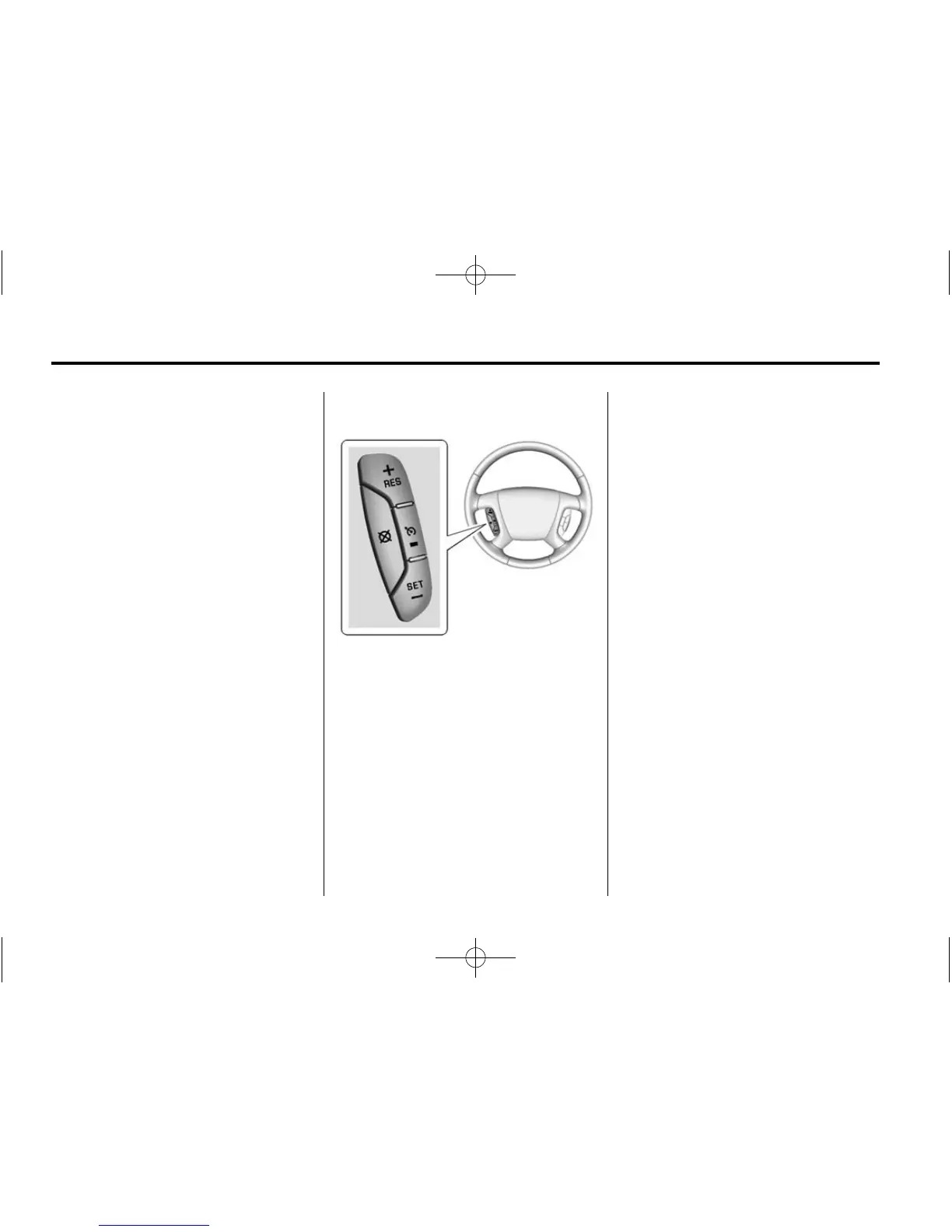
Cruise Control
T : Press to turn cruise control on
or off. The indicator light on the
button comes on when the cruise
control is on.
+RES: If there is a set speed in
memory, press briefly to resume to
that speed or press and hold to
accelerate. If cruise control is
already active, use to increase
vehicle speed.
SET–: Press briefly to set the
speed and activate cruise control.
If cruise control is already active,
use to decrease vehicle speed.
[ : Press to disengage cruise
control without erasing the set
speed from memory.
See Cruise Control on page 9-30.
Forward Collision Alert
(FCA) System
If equipped, FCA may help avoid or
reduce the harm caused by
front-end crashes. FCA provides a
green indicator,
V, when a vehicle
is detected ahead. This indicator
displays amber if you follow a
vehicle much too closely. When
approaching a vehicle ahead too
quickly, FCA provides a red flashing
alert on the windshield and rapidly
beeps.
See Forward Collision Alert (FCA)
System on page 9-33.















 To Next Page