Bunn-O-Matic Corporation
15
Machine Composition
Exterior Overview
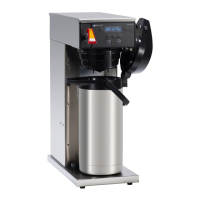
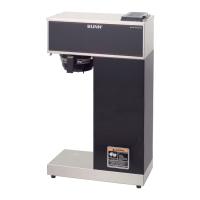
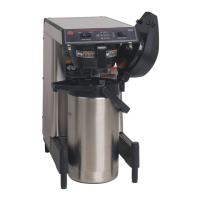
Product Outlets and Removable Parts
• Faucet assembly
• Sprayhead
• Funnel
• Server
User Interface (Operating)
The user interface on the AXIOM
®
consists of a mem-
brane switch adhered to the front of the brewer. The
membrane is connected to the main control board by a
ribbon cable. This membrane allows the user to select
a brew cycle in addition to control the warmer plates
depending on model type.
The display is also located in the front of the machine it is mounted to the main board. By showing what the status of
the machine the display aids the operator and technicians.
Enable Brew On/Off Switch: Pressing the “Enable Brew On/Off” switch (indicator on) supplies power to the brew
stationwarmer,enablesthebrewcircuit,andenergizesthetankrellcircuit.Pressingtheswitchagain(indicatoroff)
stopstankrellingandbrewingandde-energizesthebrewstationwarmer.Stoppingabrewcycleafterithasbeen
startedwillnotstoptheowofwaterintotheserveruntilthebrewfunnelisempty.
Note: Hot water will be available at the faucet in a limited amount when the “Enable Brew On/Off” switch is in
the“Off”positionbecausethetankwillnotrell.
Brew Switch: Momentarily pressing and releasing the switch starts a brew cycle when the “Enable Brew On/Off”
indicator is on.
Warmer Switches: Pressing any additional warmer switch so that the indicator is on, supplies power to the associ-
ated warmer. Note: APS and TC models have no warmers.
REAR
FRONT
WARMERS
BUNN
®
WARMER
™
Brew Switch
Enable Brew
On/Off Switch
Warmer Switches
Faucet
Funnel
Server
Sprayhead



 To Next Page
 Loading...