Page 24
SERVICE (cont.)
Location:
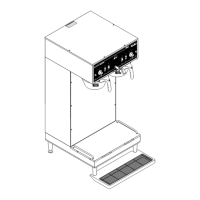
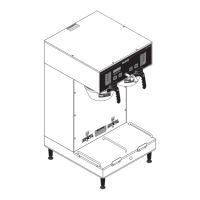
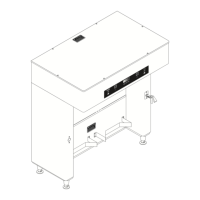
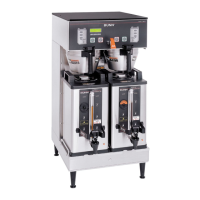
The ON/OFF switch(es) are located on the front of
the hood next to the start switch(es).
Test Procedure:
1. Disconnect the brewer from the power source.
2. Viewing the switch from the back remove the white
or red wire from the upper right terminal and the
black wire from the center terminal.
3. With a voltmeter, check the voltage across the
white wire and the black wire or red and black
wire. Connect the brewer to the power source.
The indication must be:
a.) 120 volts ac for two wire 120 volt models, three
wire 120/208 volt models and three wire 120/240
volt models.
b.) 200 to 240 volts ac for two wire 200 or 240
volt models.
4. Disconnect the brewer from the power source.
If voltage is present as described, reconnect the white
or the red wire, and proceed to #5.
If voltage is not present as described, refer to the Wiring
Diagrams and check the brewer wiring harness.
5. With the black wire removed, remove the white/
red wire on the left switch or the white/violet wire
on the right switch from the lower left terminal.
6. Check for continuity across the center and lower
left terminal with switch in the "ON" position.
P793
START ON / WARME
R
SELECTOR
READY
READY
ON / WARMER
START
1
1⁄2
gal
1
gal
1
⁄
2
ga
l
SELECTOR
1
1⁄2
gal
1 gal
1⁄2
gal
ON/OFF SWITCH (Warmers)
P792
RIGHT
LEFT
Continuity must not be present when switch is in
the "OFF" position.
If continuity is present as described, reconnect the black
wire to the center terminal and the white/red wire
on the left switch or the white/violet on the right switch
to the lower left terminal.
If continuity is not present as described, replace the
switch.
Removal and Installation:
1. Remove the wires from the switch terminals.
2. Compress the clips inside the hood and gently
push the switch through the opening.
3. Push the new switch into the opening and spread
the clips to hold switch in the hood.
4. Refer to Fig. 23 when reconnecting the wires.
FIG. 22 ON/OFF SWITCHES
FIG. 23 ON/OFF SWITCH TERMINALS
WHI to Terminal Block
(White Insert on
120/208V or 120/240V
Models)
RED to Terminal Block
(Red Insert on 200V or
240V Models)
BLKtoTerminal
Block (Black Insert)
WHI/RED to Left
Timer TL1
WHI to Terminal Block
(White Insert on
120/208V or 120/240V
Models)
RED to Terminal Block
(Red Insert on 200V or
240V Models)
BLKtoTerminal
Block (Black Insert)
WHI/VIO to Right
Timer TL1
P843
WHI to Terminal
Block (White Insert
on 120/V,120/208V or
120/240V Models)
RED to Red Terminal
Block (Red Insert on
200V-240V Models)
BLk to Terminal
Block (Black Insert)
WHI/VIO to
Timer TL1
SINGLE & SINGLE SH BREWERS
DUAL & DUAL SH BREWERS
41976 031709


 To Next Page
 Loading...