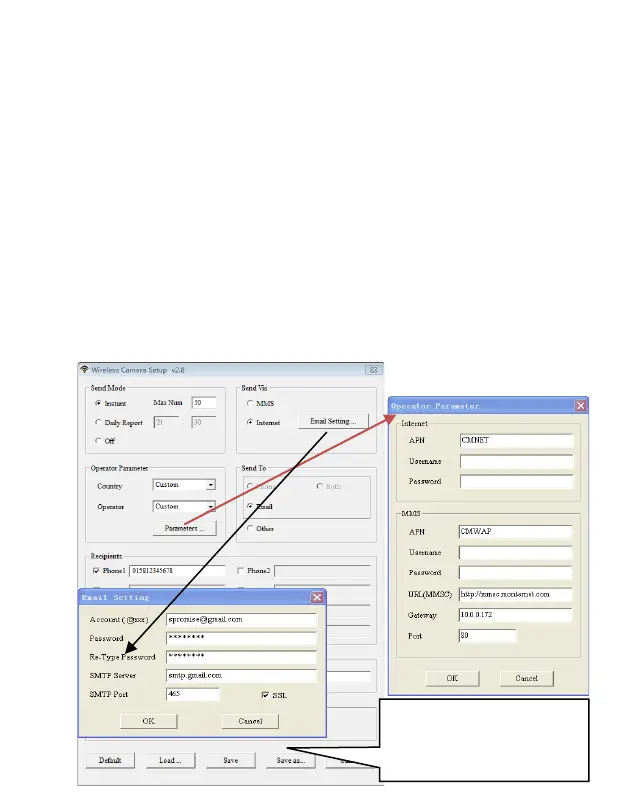
obtained from your wireless carrier if settings not preset; or
choose country/operator if it is preset; choose auto/auto only
when dealer confirms it is ready.
7. Email setting: Input the right SMTP server and port, choose SSL
or non SSL type(default) email service type accordingly.
8. Wireless image quality, normal resolution=640*480; high
resolution=1280*960,original photo sending only available on
3G/4G models.
9. Image From content will be included in MMS/email subject so the
user will know where the image comes from.
10. SMS Status Response will allow the camera to send the user a
response after it receives the user’s SMS command.
Figure out the way of
sending email encryption
before make the choice



 To Next Page