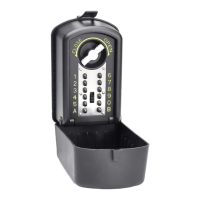
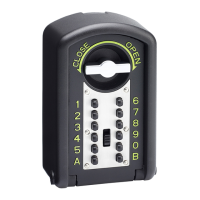
Your new safe will arrive locked and without batteries. Therefore to open your safe you will
need to use the instructions given in section 5 for overriding the safe. Then when batteries
have been installed the safe will be in factory default.
To open your safe for the first time, input the factory default code, 159 and press either “*” or
“#”. You should hear 2 beeps and the green light will come on. Now turn the handle clockwise
and pull towards you and the door will open.
2. PROGRAMMING YOUR CODE INTO THE SAFE
To programme your own code into the safe, follow the instructions below.
A. With the safe door open and the locking bolts withdrawn, press the reset button on
the inside of the door on the side opposite to that of the locking bolts. You will then
hear 2 beeps and the yellow light will come on.
B. Input your chosen code (1-8 digits) and then confirm your code by pressing either “*”
or “#” within 15 seconds of the yellow light appearing.
Successful code change will be acknowledged by 2 beeps. Unsuccessful code change will be
shown by the safe sounding 3 beeps and the safe should be reset again due to the new code
being invalid.
3. USING THE SAFE
A. Closing the safe: To lock the safe, turn the handle in an anti-clockwise direction
and the safe should lock.
B. Opening the safe: To open the safe, input your chosen code followed by either “*”
or “#” and turn the handle in a clockwise direction pull the handle towards you and the
door will open.
4. BATTERY REQUIREMENTS
If while opening your safe the red and green lights come on, this indicates that the batteries
require changing. The Jupiter safe requires 4 x “AA” (1.5V) size batteries, which should be
fitted into the battery compartment on the back of the safe door.
Always ensure the batteries are correctly installed before closing the safe, use of
alkaline batteries are recommended.
After replacing your batteries, you must re-programme your user code again following
the steps described in section 2.
5. OVERIDE INSTRUCTIONS TO OPEN THE SAFE
Your safe is supplied with 2 manual override keys. In case of emergency, remove the
Keyguard Security plate located next to the handle and then insert the key into the keyhole.
Turn the key in an anti-clockwise direction and turn the handle in a clockwise direction. Then
while keeping hold of both the key and handle, pull the door towards you and the safe will
open.
WARNING! NEVER LEAVE YOUR EMERGENCY KEY IN THE SAFE.
WARNING!
NEVER LEAVE YOUR


 To Next Page
 Need help?
 General