22
Functions
Simple everyday use
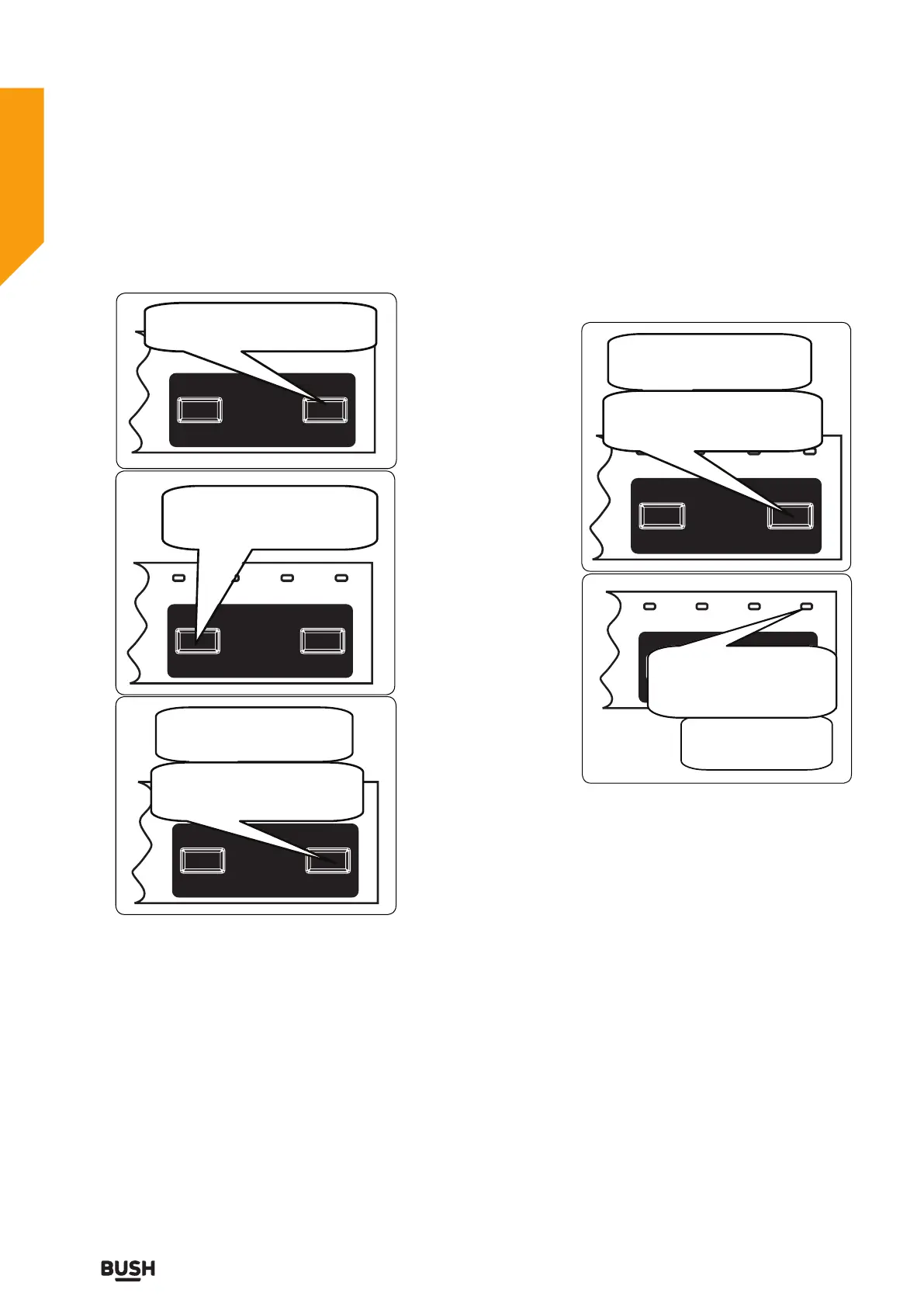
Cancelling a programme
If y
ou would like to cancel a program while
washing is continuing.
If you require any technical guidance or find that your product is not operating as intended, a simple solution can often be found in the Troubleshooting section of these instructions,
or online at www.argos-support.co.uk If you still require further assistance, call one of our experts on 0345 257 7271.
NOTE: Do not open the door until the program
finishes.
NOTE: At the end of the washing pro-gram, you
can leave the door of the machine ajar to speed
up the drying process.
NOTE: If you open the door of the machine or if
power gets cut during the washing cycle, the
program will resume once the door has been
closed or the power has recovered.
Press and hold the Start/Pause button
for 3 seconds.
End light will flash during the cancelling
process. The machine will drain the water
inside for about 30 seconds.
After the End light has
be
come
on,
press the On/Off button
to switch off the machine.
Unplug the appliance. Turn
off the water tap
.
C
h
anging a programme
When you want to change the program while a
washing program is running on
Press Start/Pause button.
Once the program has stopped, use the
program selection button to select the
desired program.
Press the Start/Pause button to start
the newly selected program.
The newly selected program will
continue in the place of the previous
program.


 To Next Page