Functions
Simple everyday use
Functions 27
or online at www.argos-support.co.uk If you still require further assistance, call one of our experts on 0345 604 0105.
screen. When you see “stop” on the timer screen, the
symbol (A) will begin to flash. Adjusted the cooking
period for the food you wish to cook, by using the (+)
and (-) buttons while the timer is in his position. Some
time after the adjustment operation is completed, the
day’s time wil appear on the screen and the symbols (A)
and will begin to continuously light on the screen.
While doing this, the oven will also start to operate.
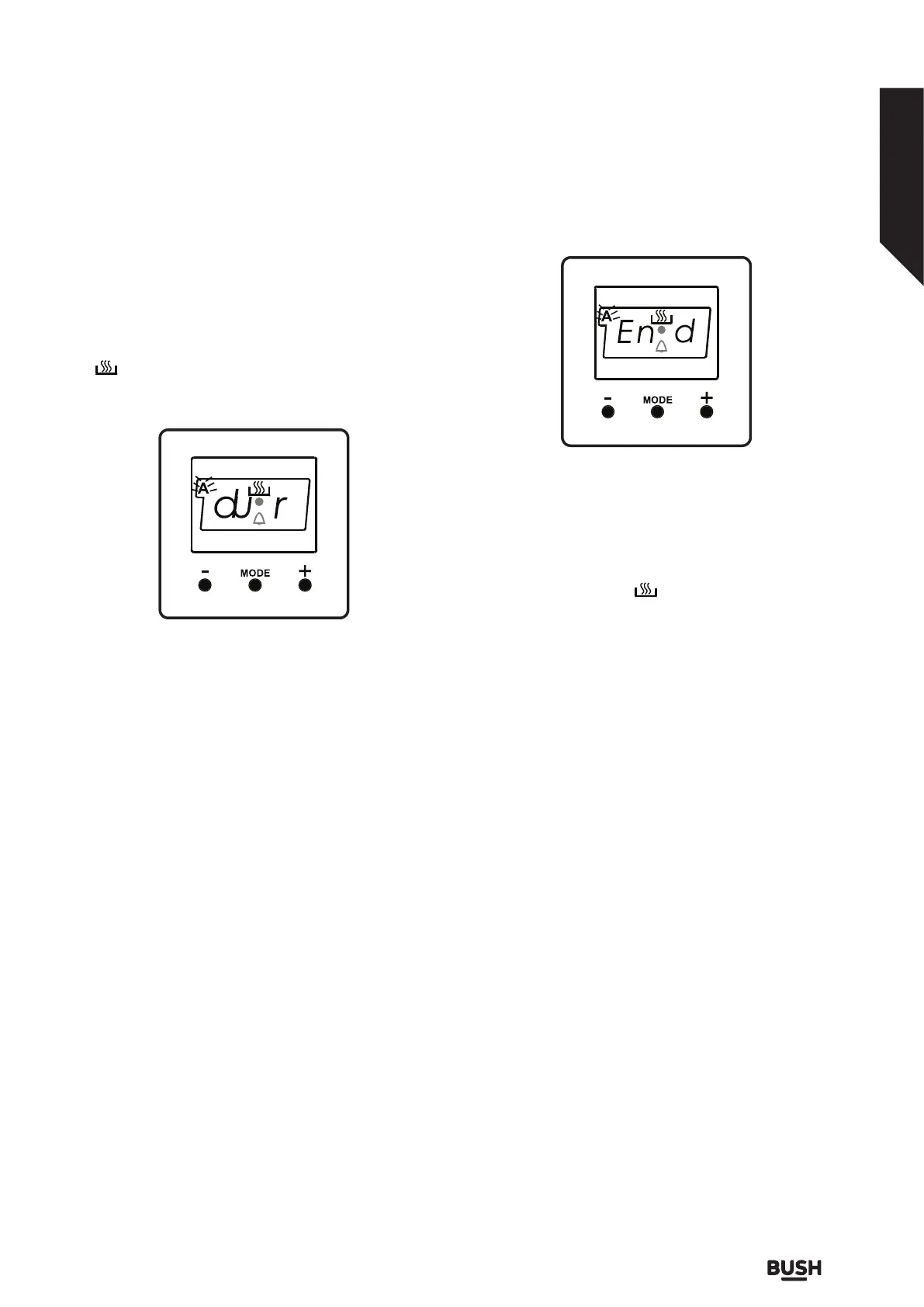
Fig 18.
A cooking period between the time range of 0 and 10
hours can be set.
At the completion of the set duration, the timer will
stop the oven and give an audible warning. Also, the
symbol (A) will begin to flash on the screen. After
bringing the oven button and oven thermostat button
to 0 position, pressing any button of the timer will end
the audible warning. Also, the timer wil be brought to
manual use function.
Semi - Automatic Programming According
to Finish Time:
This function is used to cook according to desired
finishing time. The food to be cooked is put into the
oven. The oven is adjusted to the desired cooking
function. The oven thermostat is adusted to the desired
degree depending on the dish to be cooked. Keep
pressing on the MODE button until you see “end” on
the timer screen, the symbol (A) and the day’s time will
respectively begin to flash.
Fig 1.
Fig 19.
Adjust the finishing time for the food you wish to cook,
by using the (+) and (-) keys while the timer is in this
position. Some time after the adjustment operation is
completed, the day’s time will appear on the screen
and the symbols (A) and will begin to continuously
light on the screen. While doing this, the oven will also
start to operate.
You can set a time which can be up to 10 hours after
the day’s time.
At the completion of the set duration, the timer will
stop the oven and give audible warning. Also the
symbol (A) will begin to flash on the screen. After
bringing the oven button and oven thermostat button
to 0 position, pressing any button of the timer will end
the audible warning. Also, the timer will be brought to
manual use function.
Full- Automatic Programming:
This function is used to cook after a certain period of
time, within a certain duration. The food to be cooked
is put into the oven. The oven is adjusted to the desired
cooking function. The oven thermostat is adjusted
to the desired degree depending on the dish to be
cooked.
First; keep pressing on the MODE button until you see
“stop” on the timer screen. When you see “stop” on the
timer screen, the symbol (A) will begin to flash.
Adjust the cooking period for the food you wish to
cook, by using the (+) and (-) keys while timer is in this
position. Some time after the adjustment operation is
completed, the day’s time will appear on the screen
and the symbols (A) and will begin to continuously light


 To Next Page