Functions
Simple everyday use
Functions20
If you require any technical guidance or find that your product is not operating as intended, a simple solution can often be found in the Troubleshooting section of these instructions,
or online at www.argos-support.co.uk If you still require further assistance, call one of our experts on 0345 257 7271.
pressing on the delay timer button.
If you want to cancel the time delay, you are required
to press the time delay button once. symbol will
no longer flash on electronic display.
To run time delay function, your machine needs to be
operated by pressing on Start/Pause button.
4- Extra Rinse
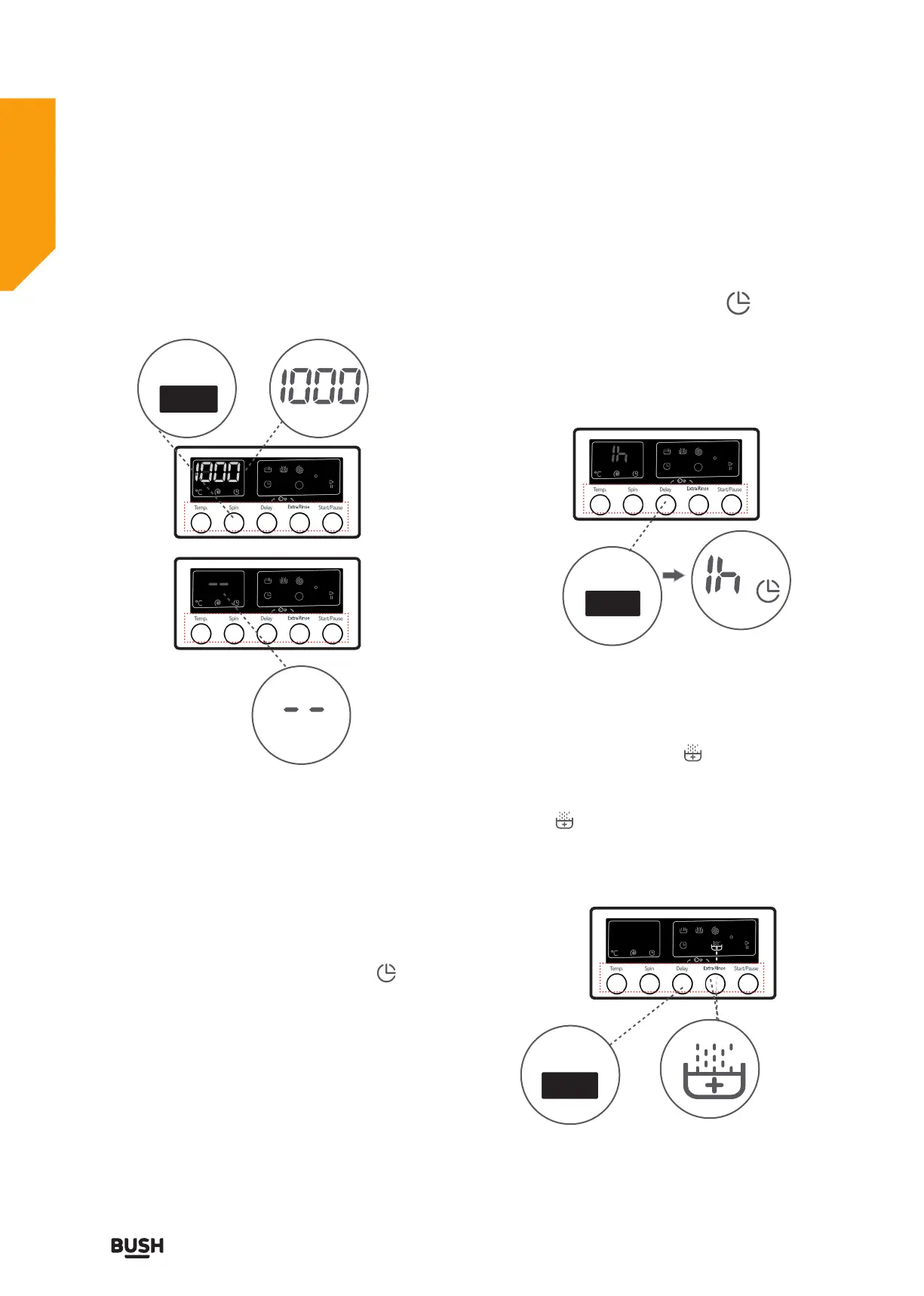
Select this function by pressing the Extra Rinse button
when the Extra Rinse indicator is displayed.
You may make the programme active by pressing the
extra rinsing auxiliary function button when the LED
light of the symbol turns on.
If you have skipped the spinning revolution you want to
set, you can re-switch to the revolution by keeping the
revolution setting button pressed.
3- Delay timer
Instead of starting the programme immediately you
can set the programme to start automatically after a set
period of time. This time can vary from an hour to 23
hours.
To use the auxiliary function of delay timer:
1- Press delay timer button once.
2- “1 h” will appear on the display. - Symbol will
flash on the electronic display.
3- Repeatedly press the delay timer button until the
desired number of hours delay are shown on the
display.
4- To activate the timer delay press on any auxiliary
function button except the “Start/Pause” button.
If you have skipped the time delay you wanted to
set, you can go back to the time desired by keeping
Extra Rinse
Spin Speed
Delay Timer


 To Next Page