SoundCard Setup & Prep: Most soundcards use 3.5mm (1/8") jack for “line in” and/or “Mic” input.
Insert the “GREEN” plug (from the RASCAL) into MIC IN jack. Insert the “BLACK” plug (from the
RASCAL into the SPEAKER (or line out) jack. To open your "Volume Control" (soundcard
drivers/software), depending on the operating system your PC uses, follow the procedure I’ve
outlined below.
Operating System Start Menu Location
Windows ME Start > Programs > Accessories > Entertainment > Volume Control
Windows 98 Start > Programs > Accessories > Entertainment > Volume Control/
Windows XP or NT Start > Programs > Accessories > multimedia > Volume Control
Windows 2000 Start > Programs > Accessories > multimedia > Volume Control
Be sure the input you are using is NOT Muted and the volume is adjusted full up (correctly).
USB SoundCard shown in the example is BUXCOMM cat#
(MISO) NOTICE the BLACK plug is inserted into the Speaker
jack (with head phone symbol). The GREEN plug is inserted
into the MIC jack (with the microphone symbol). If your sound
card does not have a LINE IN jack, use the MIC IN jack to
your soundcard. DO NOT use the "Mic Boost" option. Be
sure it is NOT enabled (DISABLE IT). This is found by
selecting Options on the Player Control > Properties > select Recording OK >
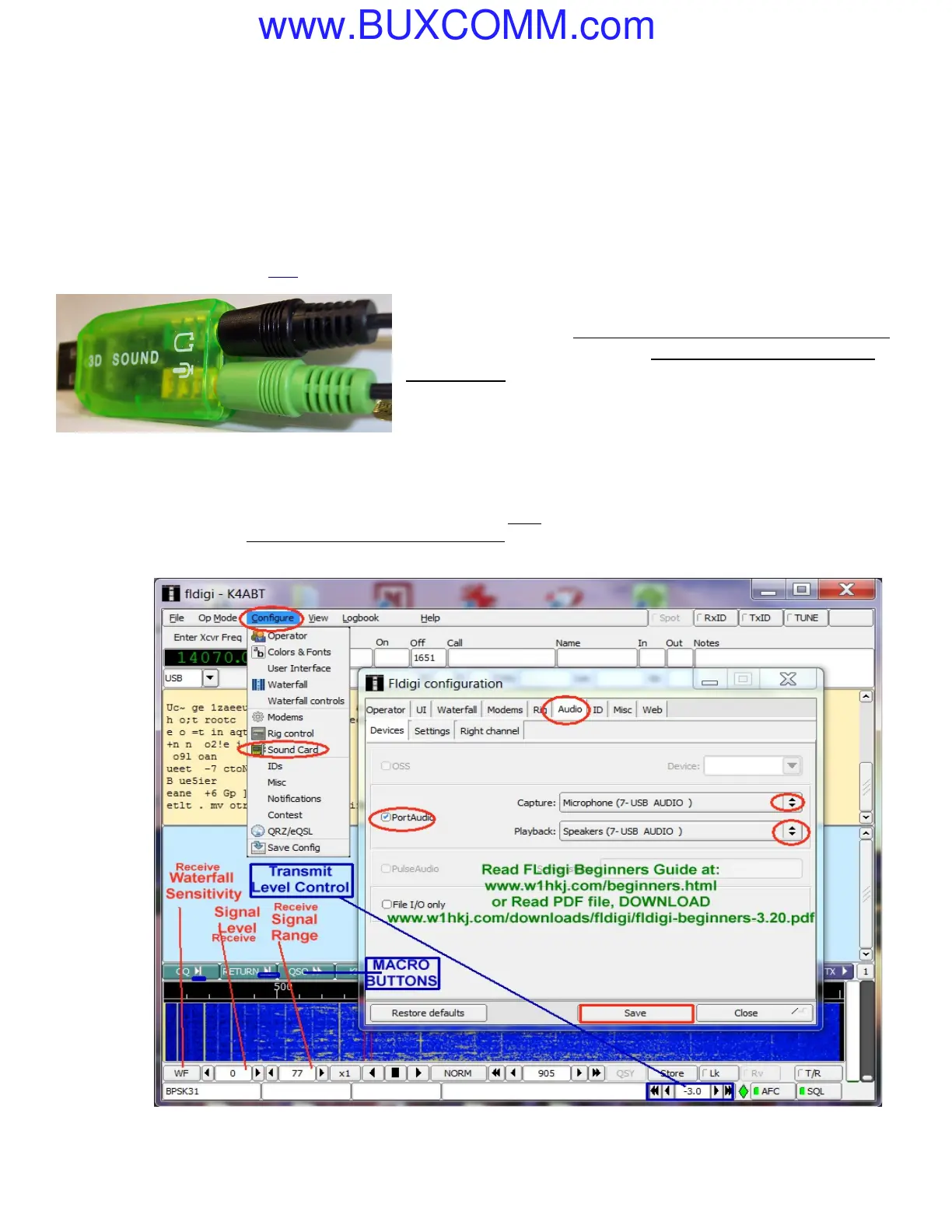
Click on the “Configure” icon (see image below), and set the respective audio and sound card settings according to your sound
card and operating system settings;. Be sure the “MUTE” boxes are NOT checked. Click OK. If necessary, in the ADVANCED
screen of the sound card set, MIC BOOST, Enhanced, or Bass Boost, you may use this setting to increase TX AF. Some minor
changes to the RxLevels and TxLevels in the “Configure/SETTINGS” may be fine tuned for final operation.
See
Receive
and
Transmit
levels as
shown on
image at
right. >
All Rights
Reserved;
Copy Rights
1999-
2001/2012
BUXCOMM
Corp;
TAX
tm
Tone
Activated
Xmit; is a
registered
trademark
by
BUXCOMM
Corporation.
VISIT: http://www.BUXCOMM.com/catalog



 To Previous Page
 Loading...