DSPXmini-FM operational manual V1.2
33
Saving presets to PC
This option will pop up the standard windows save dialog box. You can select a file name and location for the
preset to be saved under. The preset that is saved is the currently highlighted (in blue) preset, not the one that is
currently 'on-air'
Loading presets from a PC
This option will pop up the standard windows load dialog box. You can browse to and select a preset file to be
loaded into the DSPXmini-FM. The preset location that is loaded is the currently highlighted (in blue) preset, not
the one that is currently 'on-air' You can only load into a user preset
SCHEDULING WITH THE REMOTE APPLICATION
Using the menu tree to change the processing is quite simple and really doesn't need a lot of explanation. The
scheduling screens that controls the dayparting may appear daunting so we are going to give you a quick guide
to using it.
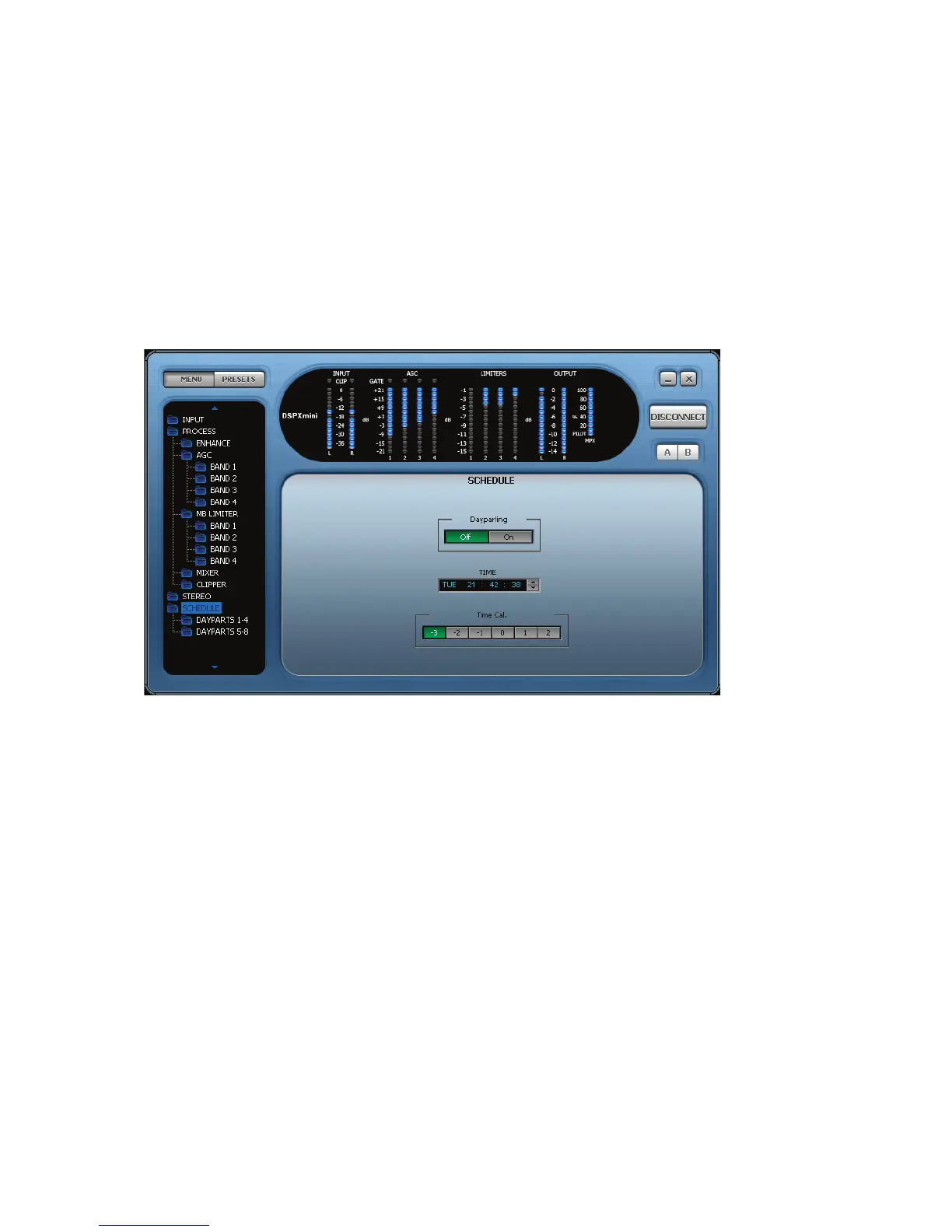
There are three menu locations for controlling scheduling. The first location is shown in the screen shot above
and it contains the ON/OFF and time setting control. The two menu locations below it access two banks of four
dayparts which make up the 8 dayparts contained in the DSPXmini-FM..
On the daypart windows you have four dayparts. Each has three parameters. The left hand box contains the
name of the preset that you want this daypart to switch to. This box also has the ability to turn the daypart OFF
by clicking down on the arrows until you reach the off option. If off is currently selected you can click up to rotate
through the user and factory presets. The middle box contains the time and day that the daypart will start at. To
select day, hour or minute click on the appropriate part of the box before using the up and down arrows. The day
part of the time also has an ALL option. This means that the daypart will occur on every day. The right most box
contains the length of the daypart in hours and minutes. Like the start time of the daypart you will need to click
into the appropriate part of the box before clicking the up/down arrows.
The dayparts can be layered so that one can override another. Let's say the default preset was U1:MAIN
PRESET and this was on the air all of the time. We want to change the preset from 7AM to 10AM every day of
the week to F2:CHR and then from 10AM to 12PM we want U4:NEW PRESET and then back to F2:CHR until
5PM.
Rather than setup the dayparts as
DPO: F2:CHR - ALL 07:00 - 03:00 (factory preset 2 to run from 7AM everyday for 3 hours)
DP1: U4:NEW PRESET - ALL 10:00 - 02:00 (user preset 4 to run from 10am everyday for 2 hours)
DP2: F2:CHR - ALL 12:00 - 05:00 (factory preset 2 to run from 12pm everyday for 5 hours)
Scheduling


 To Next Page