Need help?
Do you have a question about the BYD Premium LVS 4.0 and is the answer not in the manual?
Verify system configuration against the latest LVS Minimum Configuration List.
Ensure proper communication and grounding cables are correctly connected.
Always update to the newest firmware version for optimal performance and features.
Mandatory commissioning via Be Connect App or PC tool for system setup.
Follow the correct shutdown and startup sequence for the battery system.
Verify system functionality by checking inverter SOC display and charge/discharge.
Diagnose and resolve issues where the BMU does not power on or has abnormal LED behavior.
Troubleshoot modules that do not show any reaction or have no LEDs illuminated.
Address issues related to firmware updates, app configuration, and unstable WiFi connections.
Analyze and fix incorrect output voltage, missing BMS data, or BMU EC102 error codes.
Resolve communication problems between the BMU and the inverter, often indicated by EC106.
Investigate unusual behavior in State of Charge (SOC) calculation or charging logic.
Diagnose the causes of sudden and unexpected system shutdowns after successful commissioning.
Understand and interpret BMU and BMS LED event codes for error identification.
Learn how to use the Be Connect Plus PC tool for diagnostics, configuration, and firmware updates.
Perform voltage measurements and diagnose undervoltage conditions in battery modules.
Utilize the module exclusion method to identify faulty modules within the system.
Steps and considerations for replacing the Battery Management Unit (BMU).
Instructions for replacing the Power Distribution Unit (PDU) in the system.
Guidelines for replacing individual LVS battery modules.
This document is a service guideline and checklist for the BYD Battery-Box Premium LVS, specifically for versions 4.0, 8.0, 12.0, 16.0, 20.0, and 24.0. It is designed to assist professional and qualified electricians in the installation, maintenance, and troubleshooting of the Battery-Box Premium LVS system. The document emphasizes that all work must be performed by qualified personnel to prevent danger and damage, and it serves as a shortened assistance, not a replacement for the original manual.
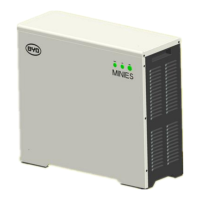
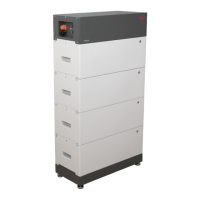
The BYD Battery-Box Premium LVS is a modular, stackable battery storage system designed for residential and commercial applications. It consists of LVS modules and a Battery Management Unit (BMU), which controls the system. The system can be configured with multiple LVS modules in towers, with a maximum of 64 modules in 16 towers per system for the LVS 16.0 example shown. A Power Distribution Unit (PDU) is also part of the system, connecting the modules and the BMU. The BMU acts as the central control unit, managing communication with the inverter, monitoring battery status, and handling firmware updates. The system's operation involves charging and discharging, with the BMU and BMS (Battery Management System, integrated into each module) providing status indications via LEDs and event codes.
The document highlights the modular nature of the LVS system, allowing for flexible capacity configurations. For instance, an LVS 16.0 system comprises 4 modules plus a PDU. The DC male connectors for cable cross-sections (35mm², 50mm², 70mm²) are not included in the PDU scope of delivery and must be ordered separately. Communication between the BMU and the inverter typically requires a CAT5 or higher Ethernet cable. The terminal resistor, crucial for clean communication between BMS and BMU, is a 120 Ω resistor between pins 5 and 6. The system's output voltage is expected to be around 50V when correctly configured. Undervoltage is defined as any of the 16 cells in a module having a voltage below 1.5V. The Battery WiFi turns off 5 hours after startup but can be reactivated by pressing the BMU LED button for 1 second or restarting the system. A WiFi reset can be performed by pressing the BMU LED button three times within 6 seconds.
The Battery-Box Premium LVS is designed for ease of configuration and monitoring through dedicated software tools. The "Be Connect" App (for mobile devices) and "Be Connect Plus" (BCP) PC tool are mandatory for commissioning and configuration. These tools allow users to read battery information, configure the system, update BMU and BMS firmware, and export/download battery logs. The BCP tool, a Windows-PC application, provides detailed diagnostics, including cell voltages, module quantities, and historical data. The system requires a proper restart after any configuration changes to ensure the changes take effect. The BMU LED provides visual status indications, including standby (constant white), charge/discharge (white blinking), and event codes (flashing white and blue). Each LVS module also has its own BMS LED to display event codes specific to that module. The system is designed to work with compatible external inverters, and communication loss with the inverter will cause the battery to shut down within 30 minutes.
The service guideline outlines several maintenance and troubleshooting steps. These include checking correct external cabling, ensuring proper grounding, updating to the newest firmware, and verifying app configuration. Troubleshooting common issues involves checking BMU and module LED status, measuring voltages at specific points (e.g., PIN 7&8 on the BMU, P+ and P- on the PDU, and individual module voltages), and replacing communication cables or terminal resistors if faulty. The "Module Exclusion Method" is a key troubleshooting feature, allowing technicians to identify a faulty module by removing suspected modules one by one and checking if the system operates correctly with the remaining modules. This method requires adjusting the module quantity in the app and performing a proper restart after each change. The document also details procedures for replacing the BMU, PDU, and LVS modules, emphasizing the need to re-do configuration and firmware updates after any component replacement. For complex issues, downloading historical battery log files via BCP is crucial for root cause analysis. The document also provides contact information for service support in Europe and Australia, encouraging users to provide detailed information, including serial numbers, module voltages, logs, and inverter data, when contacting support.

 To Next Page
 General