Page 22
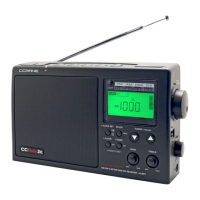
CCRadio2E
STEP 2: TO SET THE OFF TIME
1) Press the Timer/Set Button again until the word OFF, the hour digit and
TIMER ash on the display.
2) Use the Tuning Up/Down Buttons to set the hour. Again, verify that the
time is set correctly for AM or PM.
3) Press the Timer/Set Button again so the word OFF and TIMER and the
minutes, ash on the display.
4) Use the Tuning Up/Down Buttons to set the minutes.
STEP 3: TO SET THE FREQUENCY
1) Press the Timer/Set Button again to select your desired frequency. The
word TIMER and the memory preset will ash on the display. Using the
Band Button, select the appropriate band [AM, FM, Ham (VHF) or WX].
Press the memory button 1-5 that corresponds with your desired station.
2) You must Press the Timer/Set Button again to complete the setup.
The timer will go ON and OFF at the same time and same station
every day until you turn the timer o or reprogram it.
TO TURN OFF THE TIMER
If TIMER is showing on the display then the Timer is set. Press and hold
the Timer/Set Button until you hear a short beep and the word TIMER
disappears from the display.
NOTES ON THE TIMER
The timer can be used to play your favorite program every day.
To stop the timer from going o every day press and hold the Timer/
Set Button until you hear a short beep and the word TIMER
disappears.
Once the timer is programmed, you may use your radio as normal. If you
are using the radio during a “timed” operation, the radio will automatically
switch to the programmed station, and turn o at the programmed OFF
time.
The word TIMER ashes while the radio is playing in Timer Mode.
Radio Operation




 To Next Page