CD5 USB Driver Installation and Setup
13
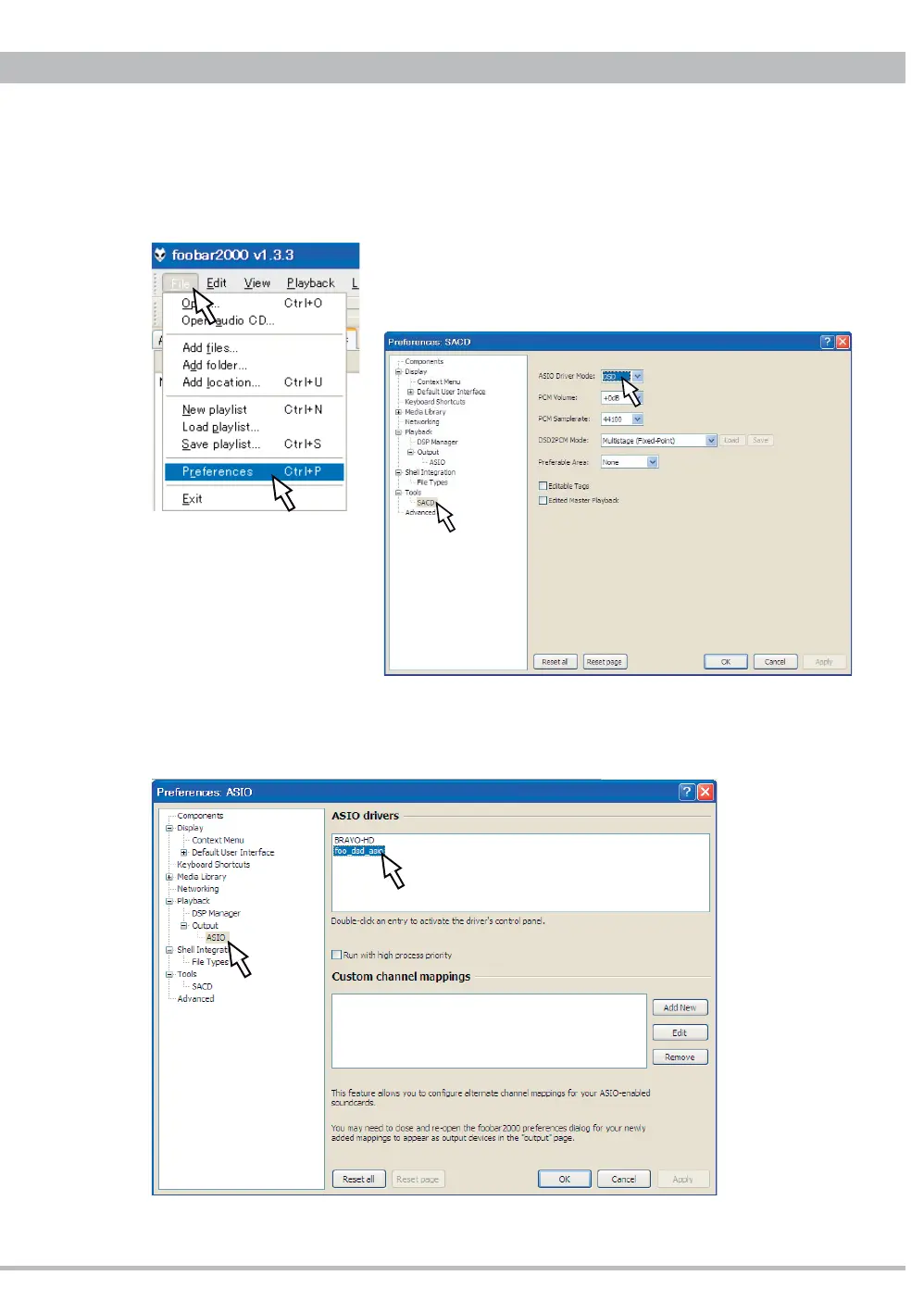
5. DSD Playback Setting on foobar2000
5.1. Click "File" on foobar2000 to open "Preferences".
5.2. Click "Tools - SACD" on the left side tree and select
"DSD" at ASIO Driver Mode.
5.3. Click "Playback - Output - ASIO" on the left side tree, and double-click "foo_dsd_asio"
listed at ASIO drivers.



 To Next Page