CD5 USB Driver Installation and Setup
3
USB Driver Installation
Install a USB driver, BRAVO-HD
*
on your Windows PC to recognize CD5 as USB audio device
and playback PCM music fi les.
ᵈᴾ
BRAVO-HD is an exclusive USB driver that a USB Audio IC maker, SAVITEC company
provides for CD5.
1. Installation for BRAVO-HD
1.1. Melt (open) the "CD5_usb_win.zip" file downloaded from CEC download site and save the
melted folder at ex. desktop.
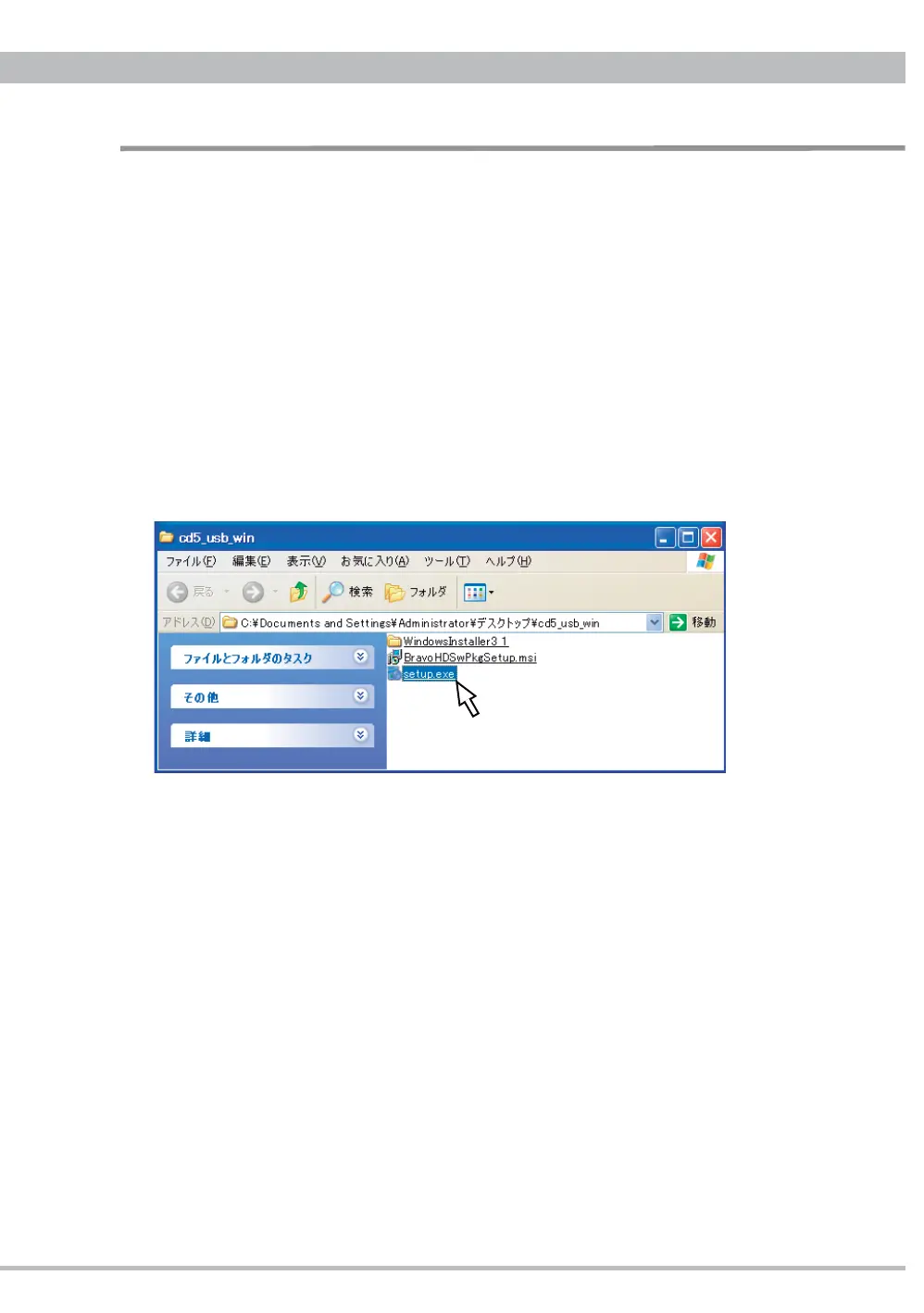
1.2. Double-click and open the saved "cd5_usb_win" folder.
1.3. Double-click "setup.exe" in the folder to start the installation.



 To Next Page