CD PLAYER / USB SOUND SYSTEM CD5
6
1.8. After the computer restarted connect with CD5 via USB cable.
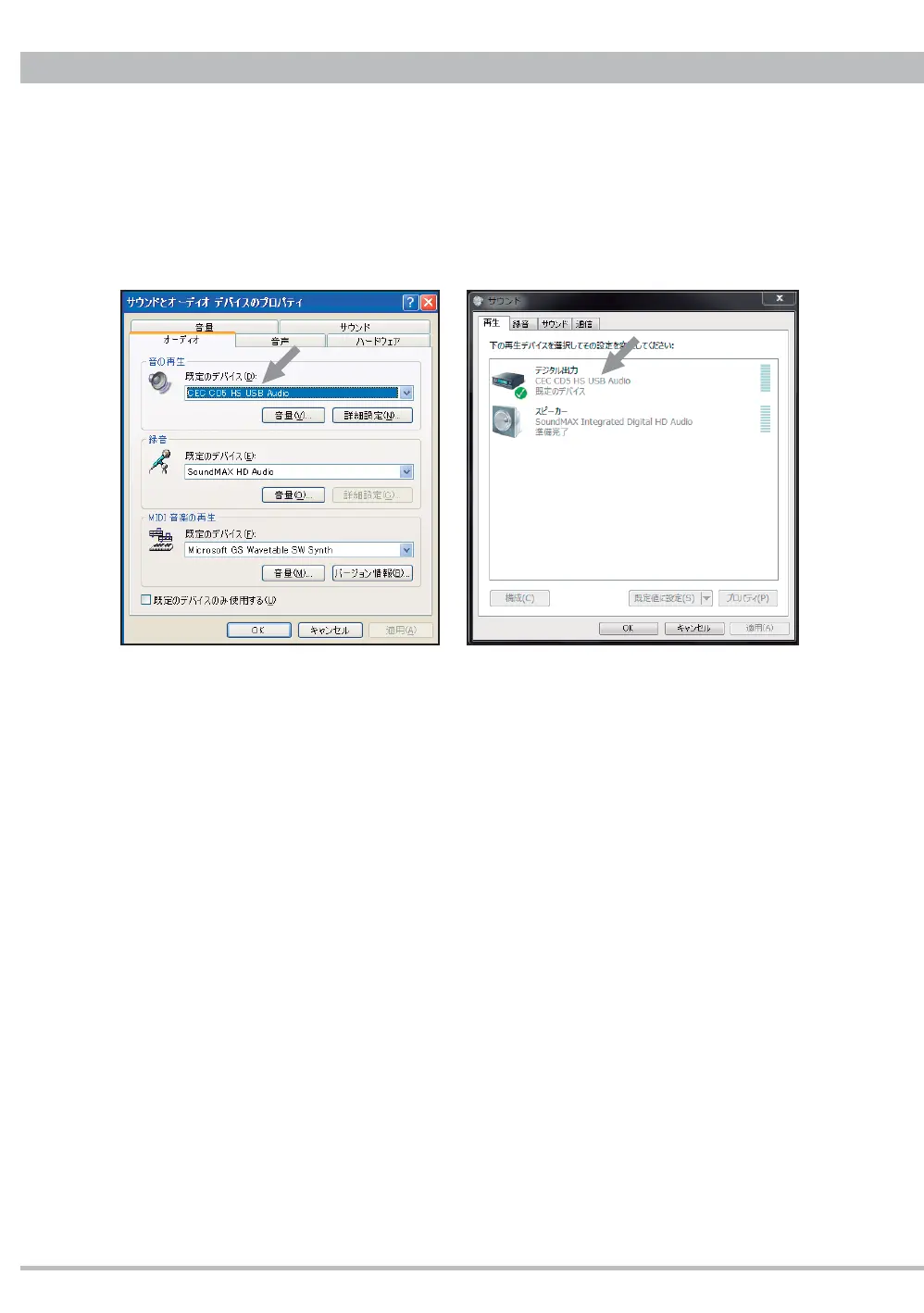
1.9. Turning on CD5 the computer will recognize CD5 as CEC CD5 HS USB Audio and
automatically apply it to the output device. You can check the setting through control panel
- sound and audio device property. If not select CD5 as output device.
1.10. Starting a PC-music after selecting the USB input on CD5 you can listen to the playback
music through the analog or headphones output on CD5.
CD5 USB input is compatible with up to 32bit/384kHz PCM signal but the sampling frequency
may be limited by the system setting or PC-Music player.
Refer to "BRAVO-HD Control Panel" after completing "Installation and Setup to play DSD fi les"
Note: You can delete the downloaded "cd5_usb_win.zip" file and the saved "cd5_usb_win"
folder with files after the installation finished.
Sound property on WindowsXP Sound property on Windows7



 To Next Page