30 Specifications subject to change without notice. OM-KSACN0801-01
Delete the Time Scale in One Day
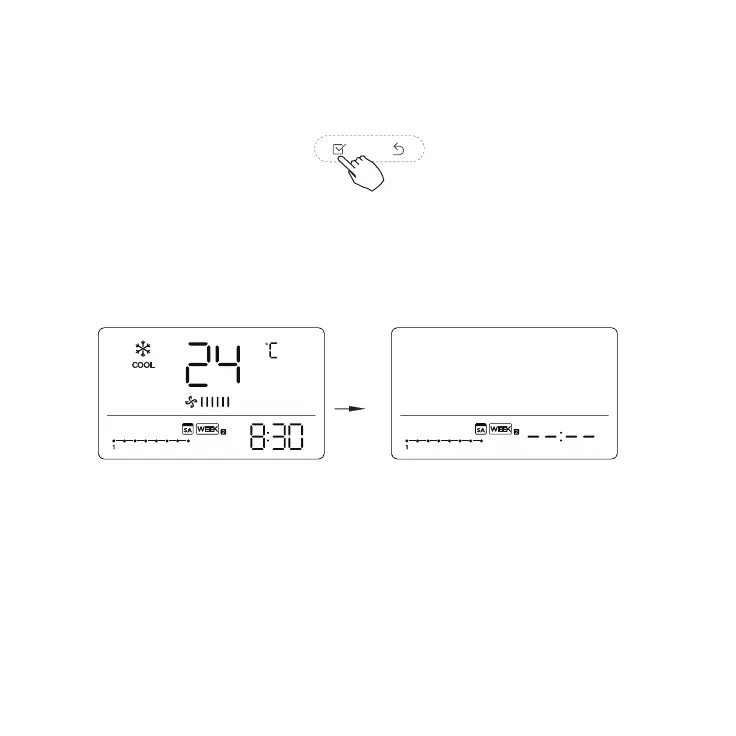
1. During the weekly timer setting, press CONFIRM.
Fig. 73 — Confirm
2. Press the UP or DOWN arrow to select the setting time you want to delete. The setting time,
mode, temperature and fan speed appear on the display. The setting time, mode, temperature
and fan speed can be deleted by pressing the DAY OFF.
Fig. 74 — Select Day
ex. Delete the time scale 1 in Saturday


 To Next Page