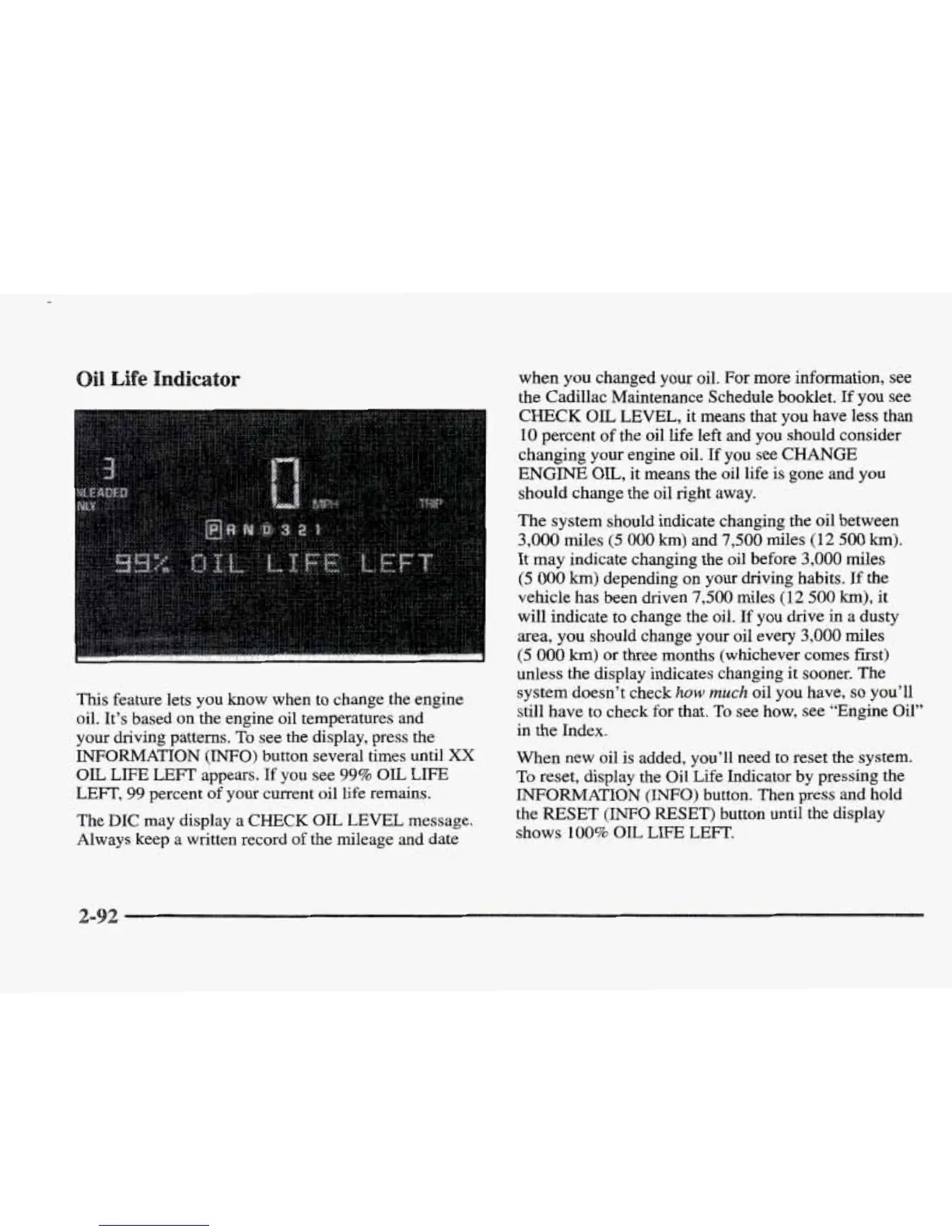
This feature lets you
know
when to change the engine
oil. It’s based on the engine oil temperatures and
your driving patterns.
To
see
the
display, press the
INFORMATION
(INFO)
button several times until
XX
OIL
LIFE LEFT appears.
If
you
see
99%
OIL
LIFE
LEFT,
99
percent
of
your current oil life
remains.
The
DIC
may display
a
CHECK
OK,
LEVEL
message.
Always keep
a
written record
of
the mileage and date
when you changed your oil.
For
more information,
see
the Cadillac Maintenance Schedule booklet.
If
you
see
CHECK
OIL
LEVEL,
it
means that you have
less
than
10
percent of the oil life left and
you
should consider
changing your engine oil.
If
you see
CHANGE
ENGINE
OIL, it means the oil life is
gone
and you
should change the oil right away.
The system should indicate changing the oil between
3,000
miles
(5
000
km)
and
7,500
miles
(12
500
km).
It may indicate changing the oil before
3,000
miles
(5
000
km)
depending on your driving habits.
If
the
vehicle has been driven
7,500
miles
(12
500
km),
it
will indicate to change
the
oil.
If
you drive in a dusty
area, you should change your oil every
3,000
miles
(5
000
km)
or
three months (whichever
comes
first)
unless the display indicates changing
it
sooner. The
system doesn’t check
how
much
oil you have,
so
you’ll
still have to check for that.
To
see how, see “Engine Oil”
in the Index.
When new oil is added, you’ll need to reset
the
system.
To
reset, display the Oil Life Indicator by pressing the
INFORMATION (INFO) button. Then press and hold
the
RESET
(INFO
RESET)
button until the display
shows
100%
OIL
LIE
LEFT.
2-










 To Next Page