3-16
AM-FM Stereo with Cassette Tape and
Compact Disc Player with Radio Data
Systems (RDS) and Digital Signal
Processing (DSP) (If Equipped)
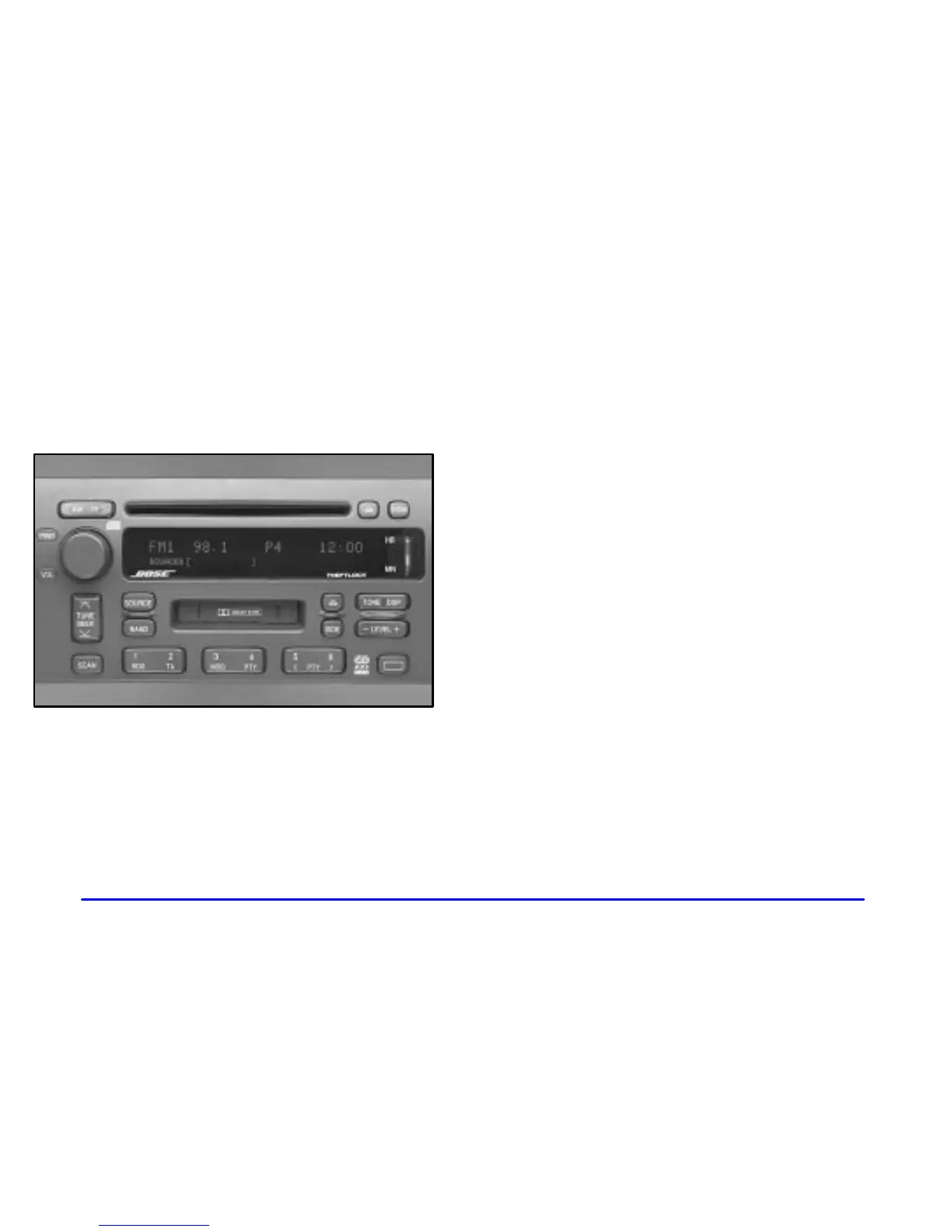
Playing the Radio
PWR (Power): Press this knob to turn the system on
and off.
VOL (Volume): Turn this knob clockwise to increase
volume. Turn it counterclockwise to decrease volume.
HR (Hour) or MN (Minute): Display the time with
the ignition off by pressing this button.
SOURCE: Press this button to select a source,
either cassette or compact disc. The audio source
must be loaded to play. Available loaded sources are
shown on the display. If a source is being used, it will be
underlined on the display. If none of the audio sources
are loaded, NO SOURCE LOADED will appear on the
display. Press this button again or press BAND to switch
back to the radio.












 To Next Page