.
A trailer was attached to the vehicle, or a bicycle
or an object was hanging out of the tailgate during
the last drive cycle. Once the attached object is
removed and the tailgate is raised, URPA will
return to normal operation.
.
A tow bar is attached to the vehicle.
.
The vehicle's bumper is damaged. Take the vehicle
to your dealer/retailer to repair the system.
.
Other conditions may affect system performance,
such as vibrations from a jackhammer or the
compression of air brakes on a very large truck.
If the system is still disabled, after driving forward at
least 40 km/h (25 mph), take the vehicle to your dealer/
retailer.
Rear Vision Camera (RVC)
This vehicle may have a Rear Vision Camera system.
Read this entire section before using it.
The rear vision camera system is designed to help
the driver when backing up by displaying a view of the
area behind the vehicle. When the driver shifts the
vehicle into R (Reverse), the video image automatically
appears on the navigation screen. Once the driver shifts
out of R (Reverse), the navigation screen will go back to
the last screen that had been displayed, after a delay.
Turning the Rear Vision Camera System On
or Off
To turn the rear vision camera system on or off:
1. Shift into P (Park).
2. Press the CONFIG hard key to enter the configure
menu options, then press the CONFIG hard key to
select Display or touch the Display screen button.
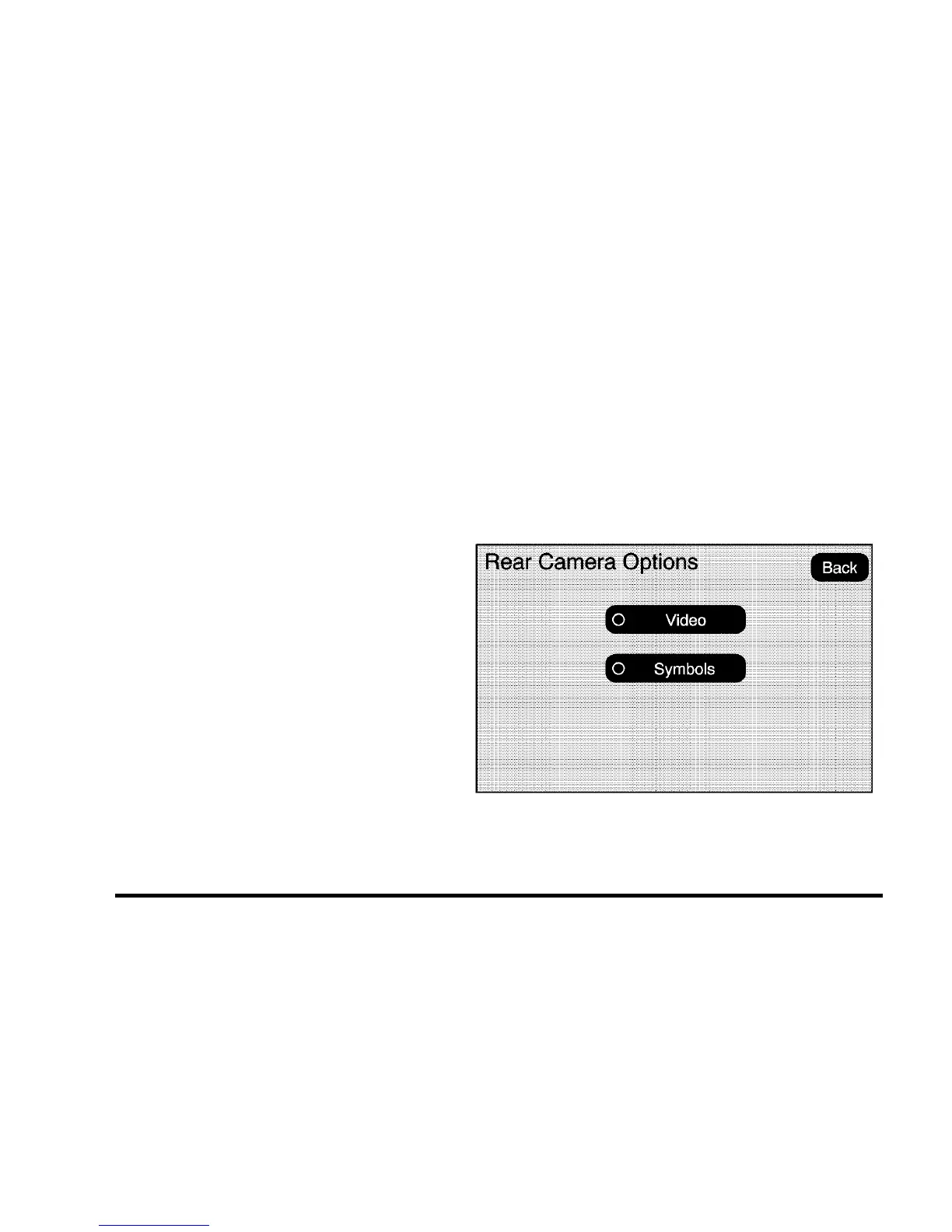
3. Select the Rear Camera Options screen button.
The Rear Camera Options screen will display.
4. Select the Video screen button. When the Video
screen button is highlighted the RVC system is on.
3-50
Ofrecido por www.electromanuales.com



 To Next Page
 Loading...






