Driving and Operating 9-49
Guidelines
The RVC system has a guideline
overlay that can help the driver align
the vehicle when backing into a
parking spot.
To turn the guidelines on or off:
1. Make sure that URPA has not
been disabled.
2. Shift into P (Park).
3. Press the CONFIG hard key to
enter the configure menu
options, then press the CONFIG
hard key to select Display or
touch the Display screen button.
4. Select the Rear Camera Options
screen button. The Rear Camera
Options screen displays.
5. Touch the Guidelines screen
button. The screen button will be
highlighted when on.
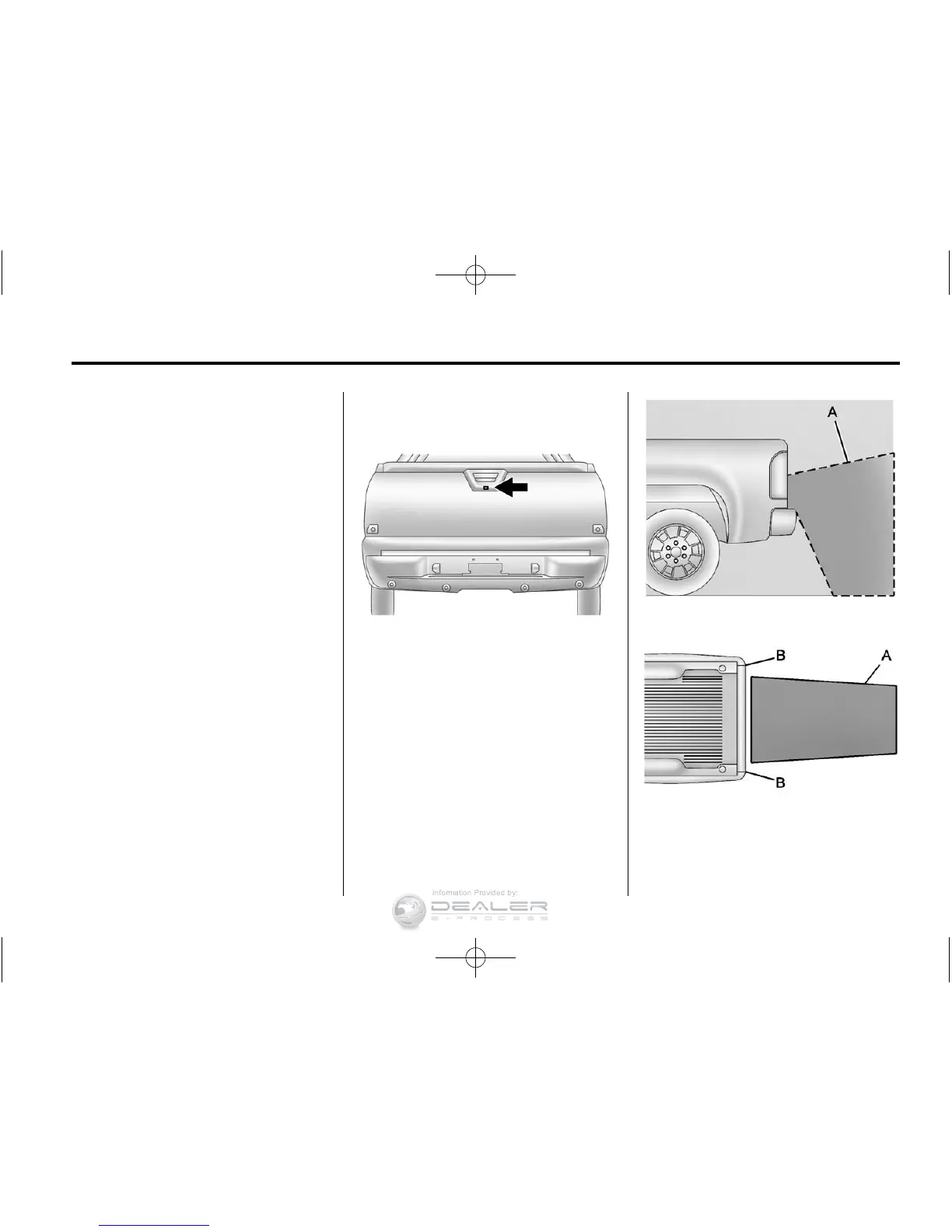
RVC Location
The camera is located under the
tailgate handle.
This shows the field of view that the
camera provides.
A. View displayed by the camera
A. View displayed by the camera
B. Corners of the rear bumper










 To Next Page