4 Introduction
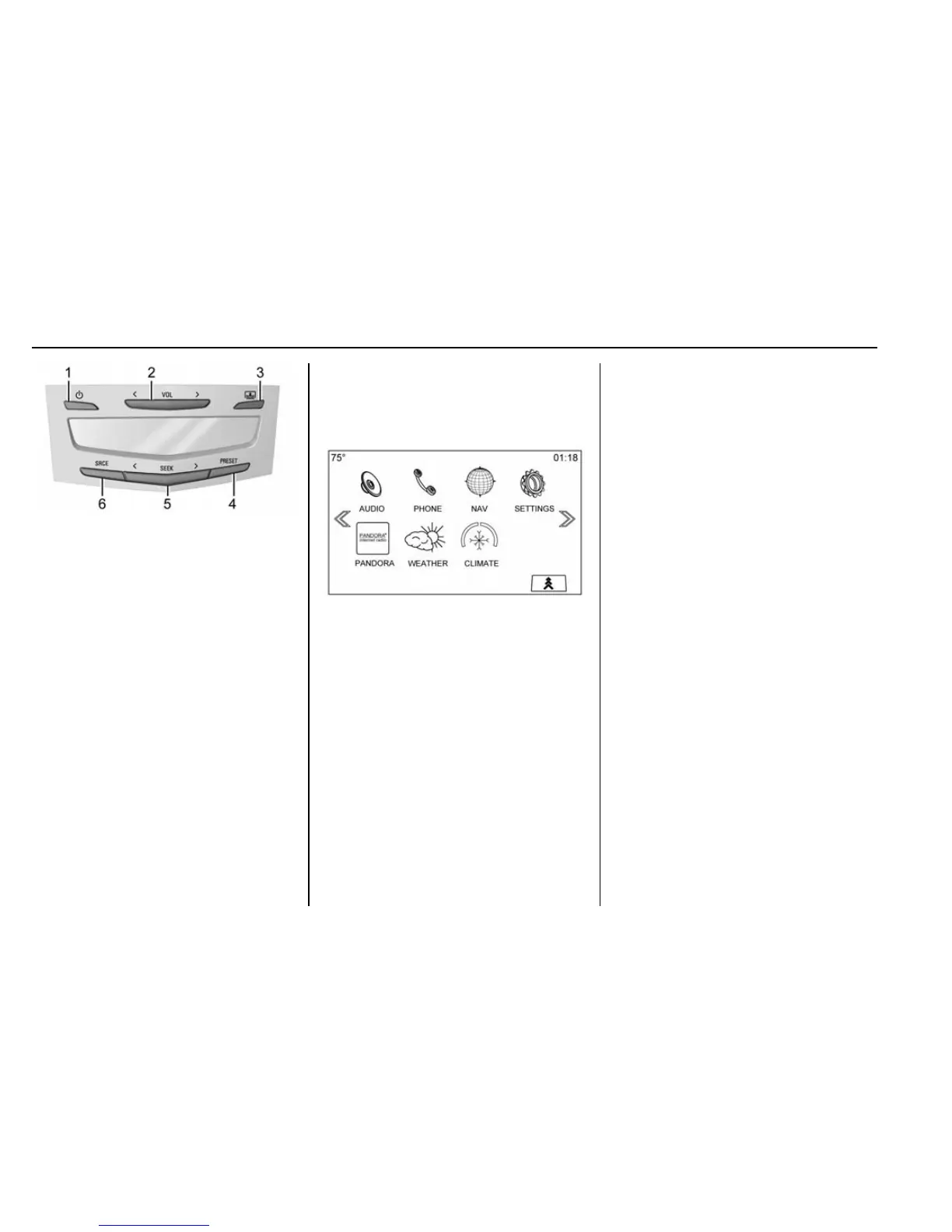
1. O (Power): Press to turn the
power on or off for the sourced
audio or media playback and
sunshade control button (if
equipped).
2.
S VOL T (Volume): Press the
left or right arrow to adjust the
volume of current playback.
3.
Q (Sunshade Switch): Press
and release the switch to
control the rear window
sunshade.
4. PRESET: Press to go to a
saved favorite.
5.
S SEEK T: Press the left or
right arrow to go to the
previous or next station on the
radio or track on a media
source.
6. SRCE (Source): Press to
change the source of playback.
Home Page
The Home Page is where
application icons are accessed.
Some features are disabled when
the vehicle is moving.
The Home Page can be set up to
have up to five pages with eight
icons per page.
Touch
u or v, or slide a finger left/
right across the screen to access
the pages of icons.
v (Next) : Touch to go to the next
Home Page.
u (Previous) : Touch to go to the
previous Home Page.
k (Interaction Selector) : Touch to
display the favorites list.
Touch and hold a location within the
favorites area to begin the process
of saving a favorite application.
Touch the application icon to store
as a favorite, and the name of the
application will be shown in
favorites.
Home : Press to go back to the
Home Page to start a different
application.
Managing Home Page Icons
1. Touch and hold any of the
Home Page icons to edit
that icon.
2. Drag the icon to a new location
on the Home Page or to save it
to the applications tray.
3. Press
{ to exit edit mode.
Steering Wheel Controls
The infotainment steering wheel
controls can be used to control the
infotainment features displayed in
the instrument cluster.


 To Next Page