CT6 Cadillac User Experience (GMNA-Localizing-U.S./Canada-11292518) -
2018 - crc - 3/1/17
REAR SEAT INFOTAINMENT 33
Select from:
.
Resume Playback: Returns to the
current position on the disc and
resumes play.
.
Title Search (if available)
.
Restart Disc
.
Screen Mode
.
Wired Headphones
.
Brightness
.
Player Setup: Audio Compression,
Auto Enter (if available)
.
Display Off
.
Screen Tilt
.
Remember RSE Status
.
Software Information
Not all options are available while the
disc is playing.
Browse Media (AVCREC, BDAV,
DVD-A, DVD-VR only) allows the
media on the disc to be searched in a
list format.
More
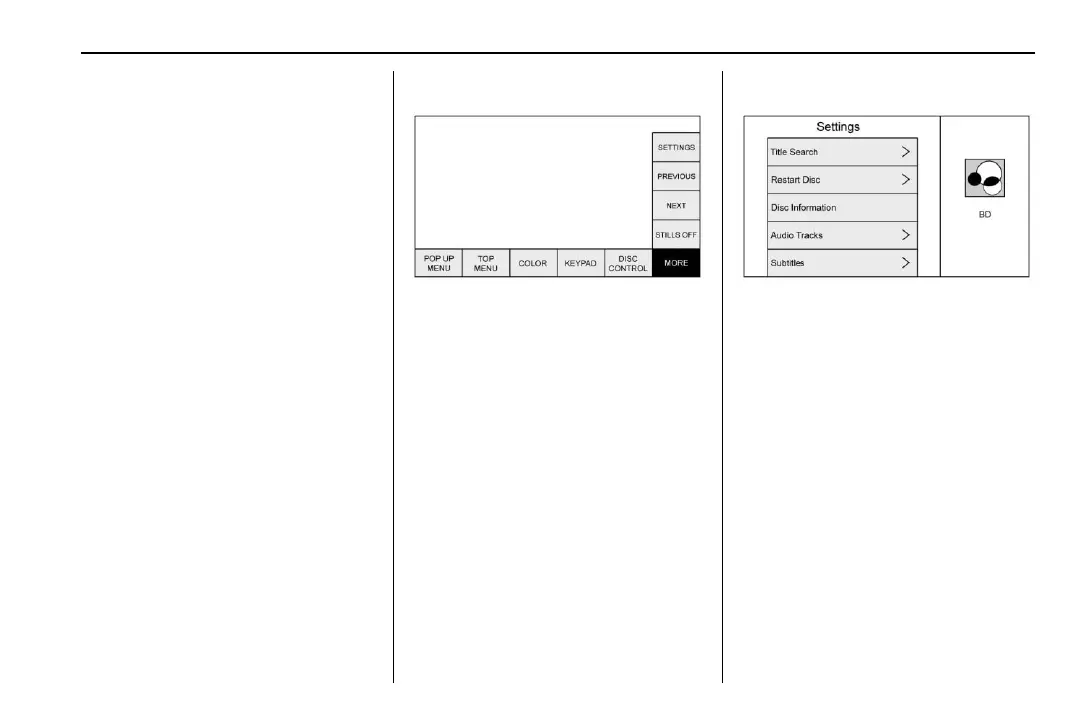
The MORE submenu includes
SETTINGS and items related to still
pictures.
Previous/Next/Stills Off
Select PREVIOUS to turn off or
advance to the next still picture.
NEXT advances to the next picture.
Select STILLS OFF to return to the
home still, if available. Press
S
(Previous/Reverse/Decrease) or y
(Menu), or wait for the time out to
close the menu. Touch the down
arrow on the bottom option to close
the next still pop-up. This feature is
disc dependent.
This feature can also be accessed by
selecting Photo on the DVD
Disc menu.
Settings BD/DVD
Select to access:
.
Browse Media (BDAV, AVCREC,
DVD-A, DVD-VR only): Allows
browsing by Video List or Playlist.
.
Resume Playback: Restarts disc
where left off.
.
Title Search (AVCHD, DVD-V,
BDMV only): Allows the titles
provided by the disc to be
searched. Select this option to
bring up a keypad to search for
specific titles.
.
Top Menu
.
Restart Disc: Restarts the disc
from the beginning.
.
Disc Information (if available)
.
Audio Tracks













 To Next Page