ES
PL
JP
CN
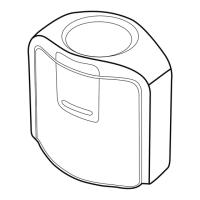
To mount the device on your display, position the optics in contact with the center of your display. Then position
the USB cable and counter weight behind your display.
Um das Gerät an Ihrem Bildschirm zu befestigen, positionieren Sie die Optik in der Mitte des Bildschirms. Platzieren
Sie dann das USB-Kabel und das Gegengewicht hinter Ihrem Display.
Pour positionner le périphérique sur votre écran, placez l‘optique au centre de votre écran. Positionnez ensuite le
câble USB et le contrepoids derrière votre écran.
Per montare il dispositivo sullo schermo, posizionare le ottiche in modo che siano a contatto con il centro dello
schermo. Sistemare quindi il cavo USB e il contrappeso dietro lo schermo.
Para montar el dispositivo sobre la pantalla, posiciona la óptica en contacto con el centro de la pantalla. A
continuación, coloca el cable USB y el contrapeso detrás de la pantalla.
Aby zamontować urządzenie na monitorze, umieść optykę urządzenia na środku ekranu. Następnie umieść kabel
USB i przeciwwagę za monitorem.
ディスプレイに装置を取り付けるには、測定口レンズがディスプレイ中央に接触するようセットしてください。そ
の後、USBケーブルおよびバランスウェイトがディスプレイの裏側にくるように設置してください。
要将设备安装到显示器上,请将镜头紧贴在显示器的中心。然后,将 USB 线缆和平衡锤放置于显示屏后方。
EN
DE
FR
IT
Monitor measurement 3 Monitormessung 3 Mesure de moniteur 3 Misurazione del monitor 3
Medición del monitor 3 Pomiar monitora 3 モニタ測定 3 显示器测量 3


 To Next Page
 Loading...