Need help?
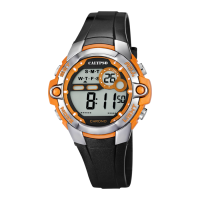
Do you have a question about the Calypso Watches DIGITAL IKM758 and is the answer not in the manual?
Select the default time display mode.
Access the stopwatch function.
Enter the alarm setting or display mode.
View or set a second time zone.
Engage the countdown timer function.
Show the current month and date.
Return the seconds display to zero.
Advance the hour setting by one.
Advance the minute setting by one.
Increment the month display.
Increment the date display.
Increment the day of the week display.
Choose between 12-hour and 24-hour time display.
Configure the desired alarm time.
Enter the mode to adjust alarm time.
Advance alarm hour by one.
Adjust the minutes for the alarm.
Set an alarm for a different time zone.
Advance alarm minute by one.
Activate the alarm function.
Activate both alarm and hourly chime.
Deactivate both alarm and hourly chime.
Deactivate alarm, keep hourly chime active.
Initiate the stopwatch measurement.
The stopwatch is actively measuring time.
Pause the stopwatch timing.
Return the stopwatch to zero.
Record split times during stopwatch operation.
View recorded lap times.
Display the overall stopwatch duration.
Configure the countdown timer.
Adjust the hour value for the timer.
Increment the timer hour setting.
Adjust the minute value for the timer.
Increment the timer minute setting.
Adjust the second value for the timer.
Increment the timer second setting.
Alert sound when the timer reaches zero.
Begin the countdown timer.
Configure a secondary time zone.
Modify the hour for the second time zone.
Modify the minutes for the second time zone.
Information regarding the EL backlight's performance and visibility.
Instructions for proper care, cleaning, and protection of the watch.
Details of the watch's primary display configuration.
List of key functionalities including alarm, chronograph, and timer.
Specifications for time accuracy and operational temperature limits.
 General
| Brand | Calypso Watches |
|---|---|
| Model | DIGITAL IKM758 |
| Category | Watch |
| Language | English |

 To Next Page