04
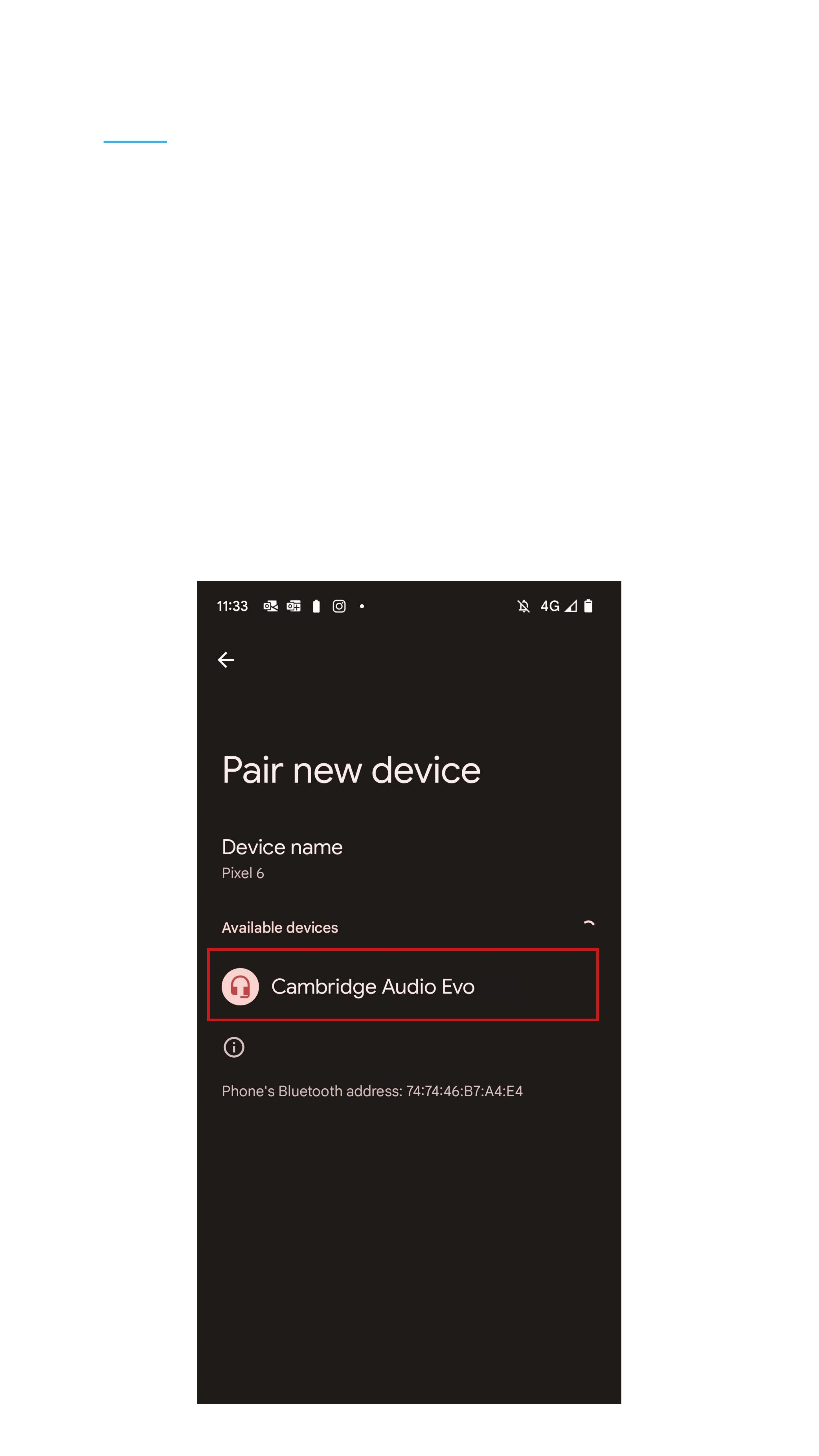
• Select which device you want to connect to.
• In this case it says “Cambridge Audio Evo”.
In your case the devise name will be followed
by which ever room your in.
• Next – Choose your music and press play.
• The music will now play through the Evo.


 To Next Page