1. Download and Install Application
On your mobile device, search and install the iCookyCam app from Google Play (Android) or App Store (iOS)
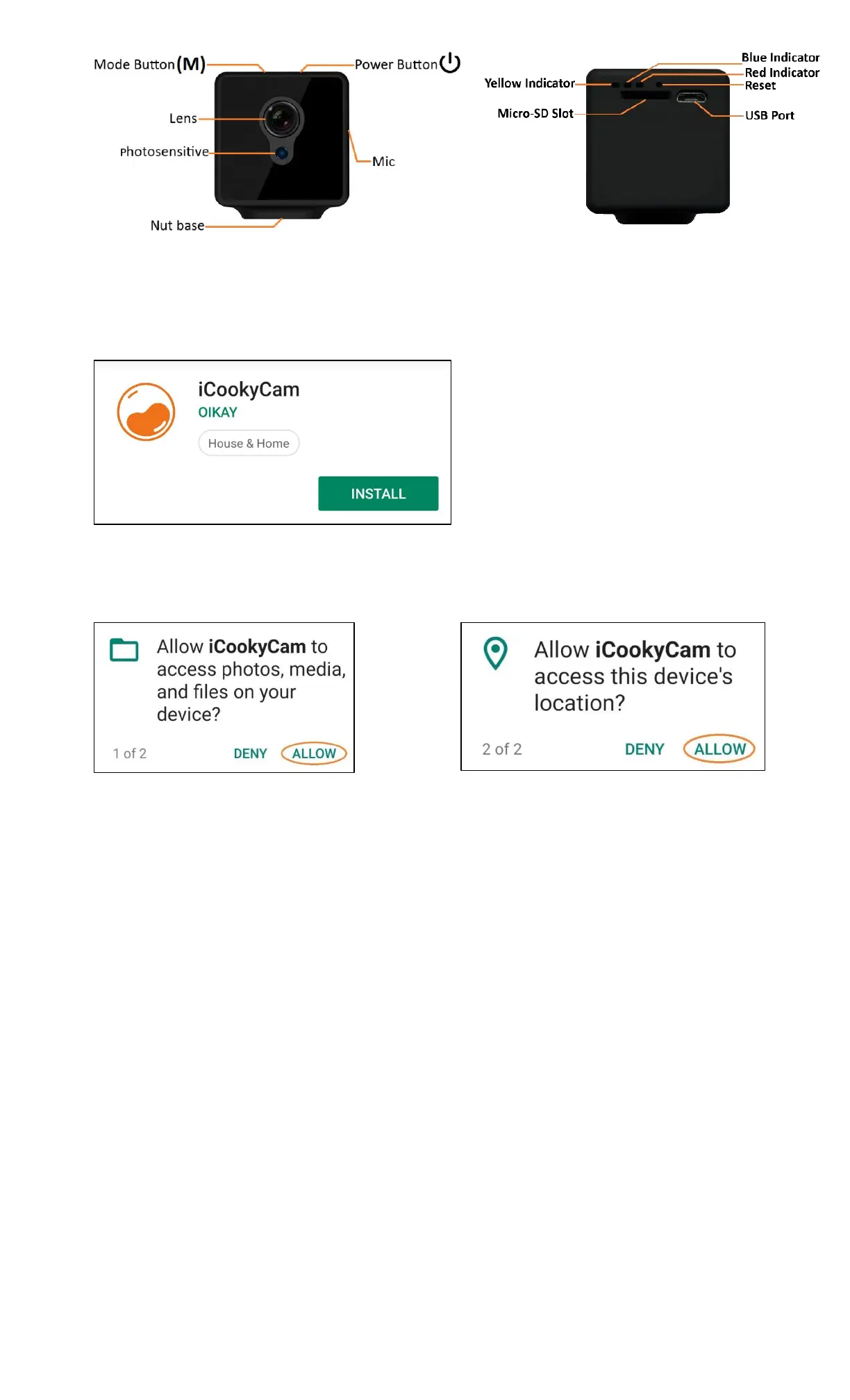
After the app is installed, open it and select Allow to 2 popup messages below (P1.2 – P1.3). Some of the app
features will be disabled if the app does not have access to your mobile device.
2. Setup the Camera
Step 1: Prepare and Insert Micro SD Card into the Camera
▪ Format the micro SD card (Please see Part 8 – Format Micro SD Card)
▪ Turn off the camera if it is on (Please see Part 9 - Power OFF Camera)
▪ Place the micro SD card upside down then insert it into the micro-SD slot on the back on the camera by
slowly pressing it in until hearing a “click” sound
Notice:
▪ To eject the micro SD card from the camera, press on it and slowly release the card
▪ Please turn off the camera before insert or pull out the micro SD card to avoid data lost or corruption
▪ Class 10 or above micro SD card is recommended
▪ Maximum support size of the micro SD card is 64 GB
Step 2: Power ON the Camera
▪ For the first time of use, connect the camera to the power adapter via the USB port to turn it on.
Otherwise, press and hold the power button on top of the camera for 2 seconds to turn the camera on
▪ Once the camera is on, both the Red & Blue indicators on the back of the camera start to flash for about 60
seconds
▪ After the initialization is succeeded, the Blue indicator flashes slowly and the camera starts to record video
automatically
Notice:
▪ If the memory card is not inserted, the Red & Blue indicators flash at the same time and no video is
recorded


 To Next Page
 Loading...