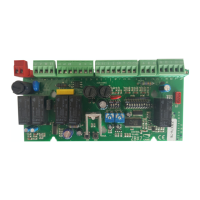
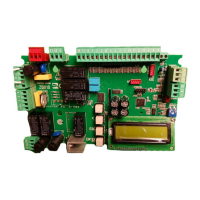
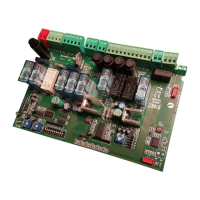
The data and information reported in this installation manual are susceptible to change at any time and without obligation on CAME cancelli automatici s.p.a. to notify users.
Pag.
- Manual code:
319LR22 ver.
07/2013 © CAME cancelli automatici s.p.a.
ENGLISH
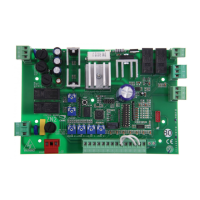
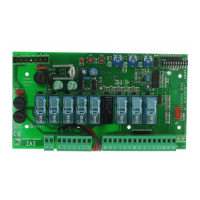
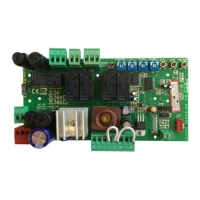
Electrical connections
EN
L-N Power supply 230V (a.c.) 50/60 Hz
10-11 Terminals for powering 24V (a.c.) accessories
W-E1
Flashing light (socket rating: 230V - 25W max.)
W-E1
Cycle lamp: (contact rating: 230V – 60W max.)
Set DIP 1 and 6 switch to ON.
11-FC
Open gate indicator-light (socket rating: 24V - 3W max.)
11-FA
Close gate indicator-light (socket rating: 24V - 3W max.)
2-C1
Re-open during closing (N.C.) socket
2-C3 Partial stop” (N.C.) socket
U-V-W
230V (d.c.) motor
+-E-D Encoder 230V (E=black, D=red)
1-2
Stop button (N.C. socket)
2-3P Keyswitch and/or partial opening button (N.O.)
2-7
Keyswitch and/or commands button (N.O.)
B1-B2
Possible output of the radio receiver’s second channel
(N.O.). Socket rating: 5A-24V (d.c.).
Connection of antenna
FA-F
finecorsa apre (contatto N.C.)
FC-F
finecorsa chiude (contatto N.C.)
-Connect the antenna’s RG58 cable to the apposite terminals.
-Lock the radiofrequency card into the electronic card
D
AFTER CUTTING OFF THE POWER SUPPLY (or after disconnecting the batte-
ries).
N.B.: the electronic card only recognises the radiofrequency card when the power is on.
Activating the remote control
Memorisation
CH1 = Channel for direct command to a function of the the gearmotor’s card, (“open only / “open-close-invert” or “open-stop-close-stop”
command, depending on the choice made on DIP switches 2 and 3).
CH2 = Channel for direct command to an auxiliary device or for the control of two paired motors, connected to B1-B2.
-Keep the “CH1”
A
button on the electronic card pressed. The LED fl ashes.
B
-Press the transmitter button you wish to memorise. The LED will stay on to show memorisation has been successful.
-Repeat the procedures for the “CH2” button associating this to another button on the transmitter.


 To Next Page
 Loading...