Quick Operation
o
Long press to power on/off , short press it to turn screen on/off.
o
to start voice recording, and short press again to stop recording.
Short press
Short press
Short press
Short press
Short press
Short press
press
to take a photo.
to start video recording, and short press again to stop recording.
to turn on infrared light, and short press again to turn it off.
to playback the last photo, video or audio files.
n
to set the function and parameter.
to return the last screen when camera in menu setting or playback mode.
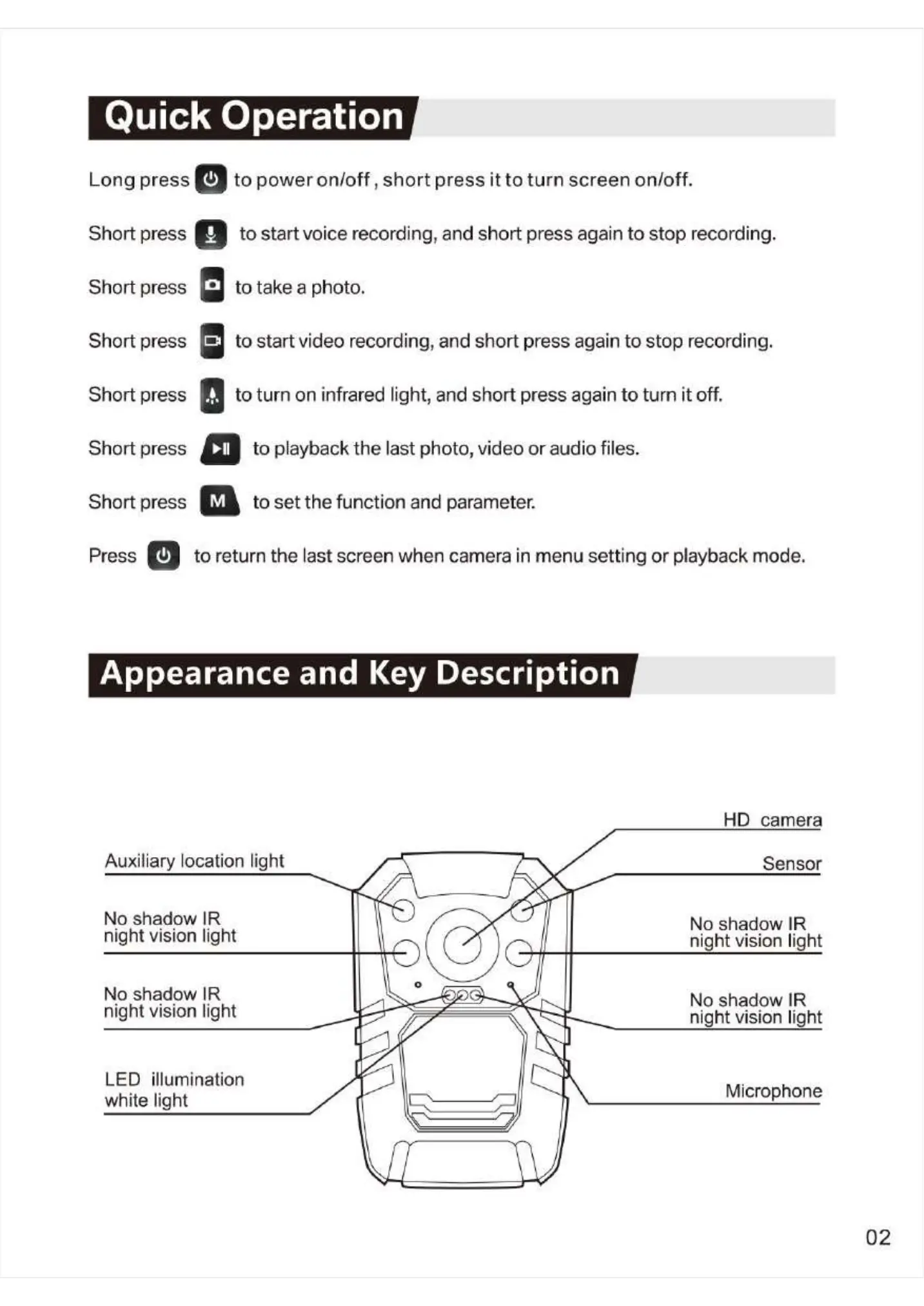
Appearance and Key Description
Auxiliary location light
No shadow IR
night vision light
No shadow IR
night vision light
LED illumination
white light
HD camera
Sensor
No shadow IR
night vision light
No shadow IR
night vision light
Microphone
02


 To Next Page
 Loading...