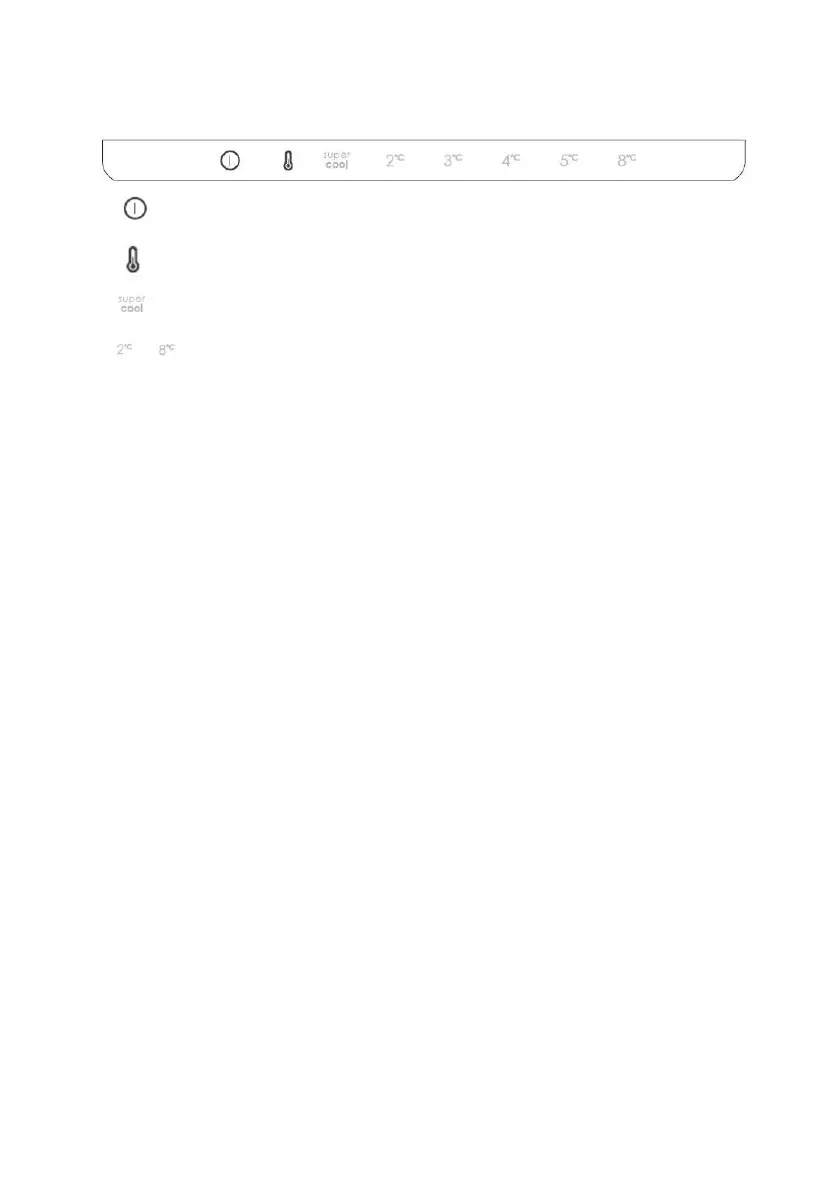
Use
• Plug on the appliance and it automatically turns on.
• The temperature is automatically set at 4 °C in the fridge.
• To change the temperature, press the SET key. When the setting increases, the
corresponding LED light turns on. An acoustic signal is made every time the SET
key is pressed and the temperature is changed. After 3 seconds without pressing
any key, the setting is confirmed and an acoustic signal is made.
• Under normal operating condition (in spring and autumn), it is recommended to
set the temperature at 4 °C. In summer or when the ambient temperature is high,
it is recommended to set temperature at 5~8 °C, so as to guarantee the fridge and
freezer temperatures and reduce the refrigerator continuous running time; and in
winter or when the ambient temperature is low, it is recommended to set
temperature at 3~4 °C to avoid frequent start/stop of the refrigerator.
• In case of power loss, the last cooling level set is restored.
• To restore the default setting, keep pressed the door switch inside the refrigerator
and simultaneously press the ON/OFF key for 5 seconds.
Adjustment of the air flow
The airflow in the refrigerator and freezer compartments can be adjusted manually by
moving the lever in the fridge compartment (see product description):
• By moving the air flow lever left, the temperature inside the freezer will drop.
• By moving the air flow lever right, the temperature inside the freezer will rise.




 To Next Page