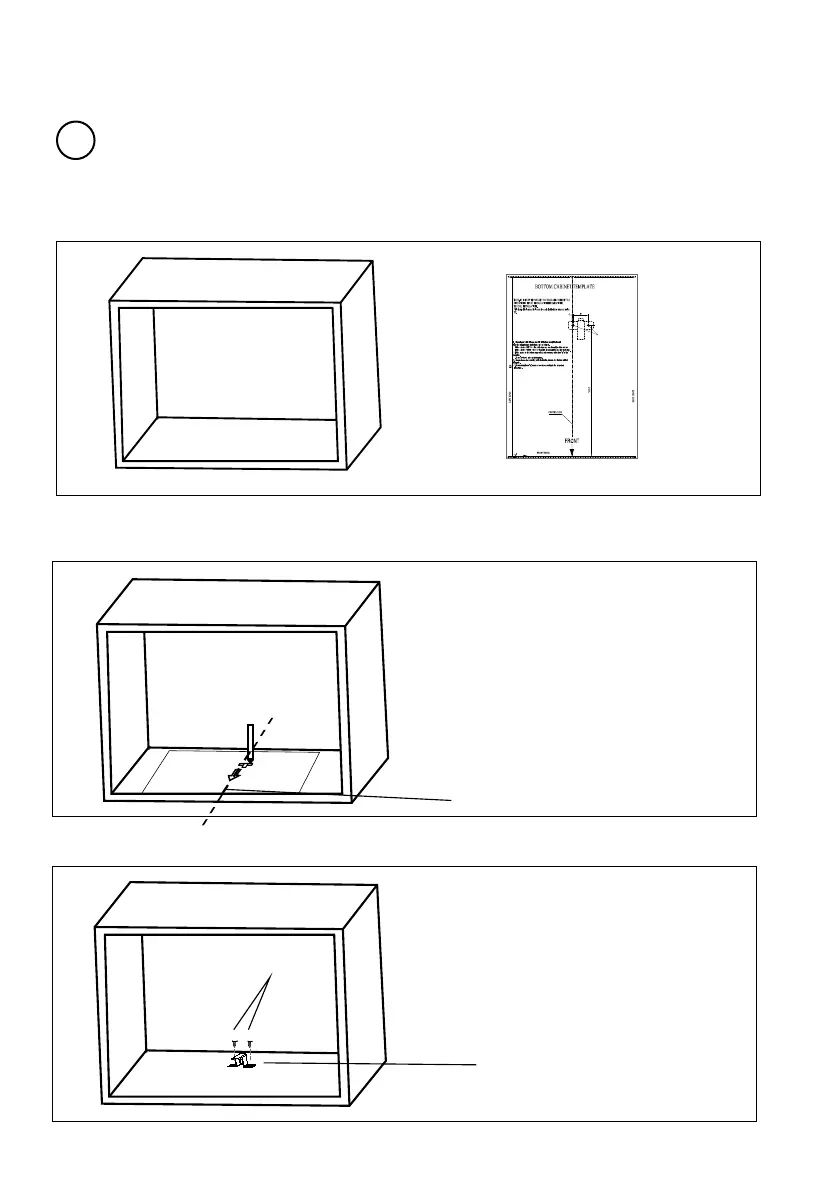
B.Prep are the cabi inet
put the template on the bottom plane of cabinet.
1. Read the instruction on the BOTTOM CABINET TEMPLATE ,
2. Make the marks on the bottom plane of cabinet according to marks"a" of
the template
3. Remove the bottom cabinet template and fix the mounting plate with screw A.
a
a
Screw A
Centre line
Skip this step if the cabinet depth is within the range of 300-340
mm.
!
"a "" seloH
PN:261800316967
Mounting Plate


 To Next Page